How to Connect Claude to Your Social Media Accounts Using MCP (Step-by-Step Guide)
You ask Claude to write a caption. It writes a good one. Then you copy it, open your scheduler, paste it in, set the time, and hit publish. That whole chain after 'Claude writes it' is still you doing the work.
There is a setup that removes that chain entirely. It is called MCP, and almost nobody managing social media knows about it yet.
MCP (Model Context Protocol) is an open standard that lets AI assistants like Claude connect directly to external tools and take action inside them. Not generate text for you to act on. Actually act. When Claude has an MCP connection to a social media platform, it drafts the post, picks the publish time, and schedules it across your channels. You stay in the chat the whole time.
Only about 7 platforms in the world currently support MCP for social media publishing. Aidelly is one of them. This guide walks you through the exact setup and shows you what a real prompt-to-published workflow looks like.
What MCP Actually Is and Why It Changes Things
MCP Is the Bridge Between AI and the Tools You Use
Most AI assistants are good at one thing: generating output. They write, summarize, brainstorm, and explain. But they stop at the edge of your screen. You still have to take what they produce and do something with it. Log into a tool, paste the content, configure settings, and hit a button.
MCP changes that architecture. It is an open protocol, published by Anthropic in late 2024, that defines a standard way for AI models to communicate with external services. Think of it like a universal adapter. Instead of every AI tool building its own custom integration with every platform, MCP gives any compatible AI assistant a single, consistent way to connect and act.
For Claude specifically, MCP means it can reach outside the chat window and interact with tools directly. Not simulate the interaction. Not describe what you should do. Actually do it. When Claude has an MCP connection to Aidelly, it can read your content calendar, create a post, choose the best publish time based on your audience data, and schedule it across Instagram, LinkedIn, TikTok, and more. All from inside one conversation. That shift from 'AI gives advice' to 'AI takes action' is what makes MCP worth understanding.
The Difference Between an AI Assistant and an AI Agent
This distinction matters more than it sounds. An AI assistant responds to you. An AI agent acts for you. The difference is not about how smart the AI is. It is about whether the AI can complete a task end-to-end or just hand you a piece of it.
When you use Claude without MCP, it is an assistant. You give it a prompt, it gives you output, and you do the rest. That is still useful. But when Claude connects to Aidelly via MCP, it becomes an agent. You say 'write a post about our new product launch and schedule it for Tuesday morning on Instagram and LinkedIn.' Claude drafts the content, checks your brand voice settings, identifies the optimal publish window from your analytics, and queues it up. You never leave the chat.
Agentic AI describes a specific capability: the AI completes the whole workflow, not just one step in it. For social media, that means going from idea to published post without you touching a scheduler. That is what this setup makes possible.
Why So Few Platforms Support This Yet
MCP is still early. Anthropic released the protocol in 2024, and adoption has been fast in developer circles but slow in consumer tools. Building an MCP server requires real engineering work. The platform has to expose its functionality through the protocol, handle authentication securely, and maintain the connection as Claude evolves.
Right now, roughly 7 platforms in the world support MCP for social media publishing. That number reflects how new this standard is and how much work it takes to implement properly. Aidelly built its MCP server to give Claude and other compatible AI assistants full access to its scheduling, drafting, and publishing capabilities. That means you are not waiting for this to become mainstream. You can run this workflow today, and you are ahead of almost everyone else managing social media. When more platforms eventually catch up, you will already have a working system and months of experience running it.
Setting Up Aidelly's MCP Server with Claude
What You Need Before You Start
Before you configure anything, make sure you have three things in place. First, an Aidelly account with at least one social media platform connected. You can connect Instagram, LinkedIn, TikTok, YouTube, Facebook, or X inside your Aidelly dashboard under the connected accounts section. Second, your Aidelly API key. You will find this in your account settings under the developer section. Copy it and keep it somewhere accessible. Third, Claude Desktop installed on your machine, or access to another MCP-compatible AI client like Cursor. Claude's web interface does not support MCP connections yet. You need the desktop app.
Once those three things are ready, the actual setup takes about ten minutes. You do not need to be a developer to follow these steps, but you do need to be comfortable editing a JSON config file. If you have ever touched a settings file in VS Code or a similar tool, this will feel familiar.
Configuring the MCP Server Step by Step
Open Claude Desktop and navigate to Settings, then the Developer tab. You will see an option to edit your MCP configuration file. This is a JSON file that tells Claude which MCP servers to connect to and how to authenticate with them.
Add Aidelly's MCP server to your configuration with these settings:
- Set the server name to something recognizable, like aidelly
- Set the command to npx and the args to @aidelly/mcp-server
- Add your API key as an environment variable named AIDELLY_API_KEY
Save the file and restart Claude Desktop. When it reloads, Claude will show Aidelly as a connected tool. You will see a tools icon confirming the connection is active. If it does not appear, check that your API key is correct and that Node.js is installed on your machine, since the MCP server runs via npx. That is the full technical setup. One config file, one API key, one restart. From this point forward, every Claude conversation can include real publishing actions across every platform connected to your Aidelly account.
Testing the Connection with a Real Prompt
Once Claude Desktop shows Aidelly as connected, test it with a simple prompt before building more complex workflows. Try something like: 'Draft a short LinkedIn post about why agentic AI is changing how small businesses handle marketing. Keep it under 150 words and schedule it for tomorrow at 9am.'
Watch what happens. Claude will draft the post, confirm the content with you if you have approval workflows enabled in Aidelly, and then schedule it. You will see the post appear in your Aidelly content calendar without ever opening the app manually.
That first successful test is the moment the workflow clicks. You had one conversation and a post is now scheduled. No copy-paste. No tab switching. From here, you can build more complex prompts that cover multiple platforms, specific brand voice instructions, or a full week of content in a single session. The first test keeps it small so you can confirm everything is wired up correctly before you scale it.
What a Real Prompt-to-Published Workflow Looks Like
A Single Conversation That Replaces an Hour of Work
Here is a real example of what this workflow looks like in practice. Say you run a small e-commerce brand selling sustainable home goods. It is Monday morning. You want to schedule content for the week across Instagram and LinkedIn.
You open Claude Desktop and type: 'I want to schedule five posts this week for my sustainable home goods brand. Instagram gets lifestyle-focused content with a warm, conversational tone. LinkedIn gets more educational content about sustainability trends. Use my brand voice settings from Aidelly and schedule each post at the best time based on my recent engagement data.'
Claude pulls your brand voice guidelines from Aidelly, drafts five posts split across the two platforms, checks your analytics to identify peak engagement windows for each channel, and queues everything in your content calendar. The whole exchange takes a few minutes. You review the drafts inside the conversation, ask Claude to adjust the third Instagram post to mention a specific product, and confirm. Done. The week is scheduled. That is the gap between an AI writing tool and an AI agent. The agent finishes the job.
Using Approval Workflows to Stay in Control
One concern people have with agentic AI is losing visibility. If Claude is scheduling posts autonomously, how do you make sure nothing goes live that you have not reviewed?
Aidelly's approval workflows handle this. You can configure the MCP connection so that every post Claude creates gets flagged for review before publishing. The post lands in your Aidelly approval queue. You get a notification, review it in the dashboard or directly inside the chat, and approve or request changes. Nothing goes live without a human sign-off unless you explicitly tell Claude it can publish without review.
This is the right setup for most people starting out. You get the speed of agentic drafting and scheduling without giving up editorial control. As you build trust in the workflow and your prompts get more precise, you can loosen the settings to allow Claude to publish directly for lower-stakes content like evergreen posts or repurposed content. You decide how much autonomy the agent gets.
Scaling This Across Multiple Clients or Brands
If you manage social media for multiple clients or brands, this setup compounds fast. Each Aidelly account can store separate brand voice guidelines, connected platforms, and analytics data. You can prompt Claude with the client name and it pulls the right settings automatically.
For an agency managing ten clients, that means ten separate brand-aware publishing pipelines, all accessible from one Claude conversation. You switch context by telling Claude which brand you are working on. It adjusts tone, platform selection, and scheduling preferences accordingly. The manual overhead of managing multiple clients shrinks when the AI is handling the execution layer, not just the drafting layer.
This is what agentic social media management looks like at scale. You set the strategy and the creative direction. Claude and Aidelly handle the logistics. That split is what makes the workflow sustainable over time, because you are spending your hours on the work that actually requires your judgment, not on copying text between tools.
Connecting Claude to your social media accounts via MCP is a working setup you can configure in under fifteen minutes using Aidelly's MCP server. The workflow closes the gap between AI-generated content and actual publishing, turning Claude from a writing assistant into an agent that drafts, schedules, and publishes across Instagram, LinkedIn, TikTok, and more without you switching a single tab.
The combination of Claude's language capabilities and Aidelly's scheduling infrastructure, brand voice management, analytics, and approval workflows gives you something most social media managers do not have yet: a fully autonomous content pipeline that still keeps you in control. You set the strategy. The agent handles the execution.
If you are already using Claude daily, the only thing standing between you and this workflow is a ten-minute setup. Aidelly's MCP server is ready, your social accounts are waiting, and the gap between AI writing and AI publishing is smaller than you think.
Once Claude connects to Aidelly through MCP, the copy-paste step disappears. You go from a prompt to a published post without touching a scheduler, and Aidelly's agentic workflows handle the rest, from drafting to scheduling to tracking how your content performs. If you want to see what that looks like in practice, start at aidelly.ai.
Compare Social Scheduling Tools
Evaluating software for your content workflow? Use our buyer guides and comparisons to compare scheduling, approvals, analytics, and AI workflow fit.
Share this article
Related Articles
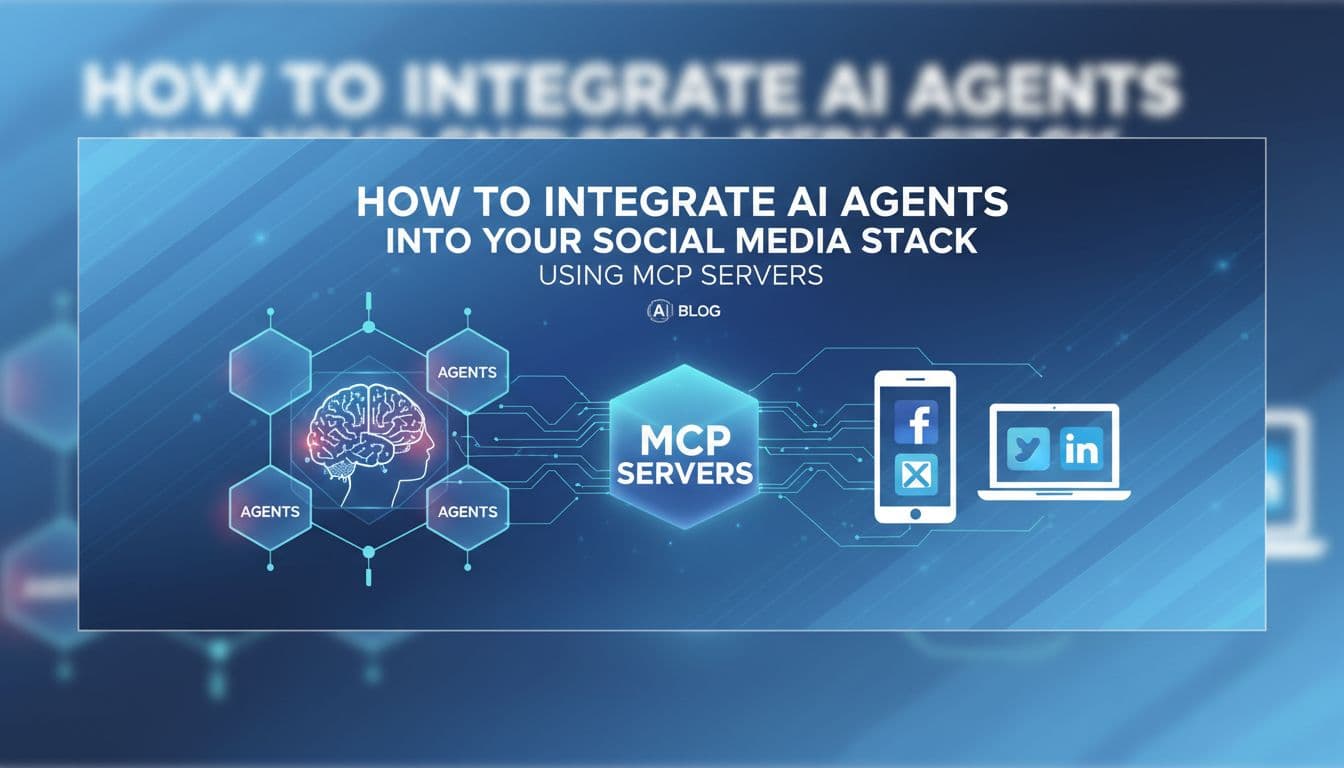
How to Integrate AI Agents Into Your Social Media Stack Using MCP Servers
Most AI tools help you write social media posts. This article is about making AI actually post them. MCP (Model Context Protocol) is the open standard that turns a chatbot into an autonomous social media agent. It lets AI assistants like Claude and ChatGPT connect directly to platforms like Aidelly and take real actions: drafting content, scheduling posts, routing approvals, and pulling analytics. No copy-pasting. No tab-switching. No manual handoff. Only about 7 platforms in the world currently support MCP for social media, which means the marketers and developers who set this up now are running a workflow most of their competitors have never heard of. This guide breaks down what MCP is, why it matters specifically for social media, and how to connect your AI assistant to an agentic social media stack that runs end-to-end without you babysitting every step.
May 30, 2026
Read more
How to Build a Social Media Publishing Pipeline With Webhooks and the Aidelly API
Most developers building social media automation hit the same wall: they wire up one platform, get it working, then realize they have to do it five more times. Each platform has its own auth flow, rate limits, and quirks. Then something breaks at 2am and nobody knows why. There is a better way to think about this. A production-grade publishing pipeline is not a collection of one-off integrations. It is a system with clear stages, a unified publishing layer, and AI agents that can make decisions without you babysitting every step. This article walks through how to build that system using webhooks as your trigger layer and the Aidelly REST API as your publishing backbone. By the end, you will have a mental model for a pipeline that actually holds up in production, not just in a demo.
Jun 6, 2026
Read more
Webhook-Driven Social Media Triggers: A Practical Guide for Developers in 2026
Most webhook guides treat social media as an afterthought. This one does not. If you are building event-driven pipelines in 2026, the output of those pipelines should be published content, not just database rows. This guide covers the architecture, the security checklist, and the specific implementation patterns that connect real-world events to autonomous social publishing. You will learn how webhook triggers replace polling loops, which use cases actually matter in production, how agentic AI workflows handle everything downstream of your trigger, and what it takes to lock down your endpoints before you ship. Whether you are wiring a Shopify order event to an Instagram post or connecting a CMS publish hook to a LinkedIn update, this guide gives you the mental model and the practical steps to build it right.
Jun 8, 2026
Read moreReady to never miss a post again?
Tell Aidelly what to post. It drafts, schedules, and publishes across 9 platforms while you focus on your business.