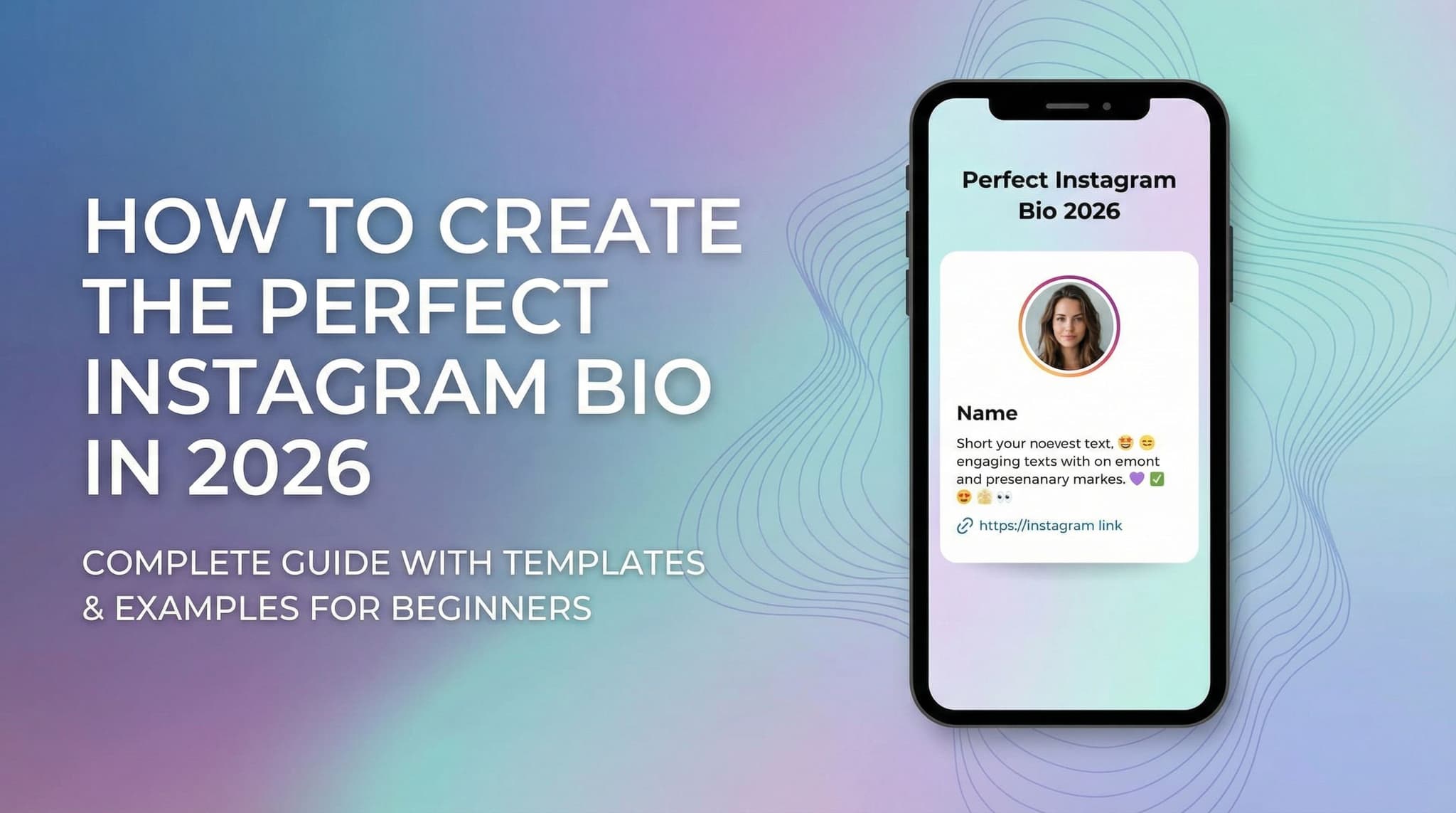
How to Create the Perfect Instagram Bio in 2026: Complete Guide with Templates and Examples for Beginners
Generate your Instagram bio now
Free AI bio maker. Five options in seconds, each under 150 characters. Copy, paste, and publish.
Open Instagram Bio GeneratorLet's be honest—your Instagram bio might be the most overlooked real estate on your entire profile. Most people spend hours perfecting their captions and editing photos, then throw together a bio in 30 seconds without much thought. But here's the thing: your bio is often the deciding factor between someone following you or scrolling past. It's your elevator pitch, your value proposition, and your first chance to tell visitors exactly why they should care about your content.
In 2026, Instagram algorithms have become even more sophisticated about profile optimization, and your bio plays a crucial role in how discoverable you are. Whether you're trying to grow a personal brand, launch a side hustle, or build an engaged community around your niche, understanding how to craft a strategic, compelling bio isn't optional anymore—it's essential. The good news? Creating the perfect bio doesn't require you to be a copywriting genius. With the right framework, templates, and understanding of what works, you can create a bio that attracts your ideal followers and drives real results.
In this guide, we're breaking down everything you need to know about Instagram bios, from character limits and formatting tricks to niche-specific templates and common mistakes that beginners make. By the end, you'll have a clear roadmap for optimizing every element of your profile.
Section 1: Mastering the Technical Foundation of Your Instagram Bio
Before we dive into the creative stuff, let's talk about the technical backbone of your Instagram bio. Think of this as laying the foundation for a house—you need to get the fundamentals right before you add the decorative elements. Your bio consists of several key components: your display name, username, profile picture, bio text (the 150-character sweet spot), profile category, and your link. Each of these elements serves a specific purpose in your overall profile strategy, and optimizing them together creates a cohesive, professional presence that tells visitors exactly who you are and why they should follow you.
The technical side of bio optimization might seem boring, but it's actually where a lot of follower growth happens. When someone searches for a keyword related to your niche on Instagram, the algorithm considers your username, display name, and bio text when deciding whether to show your profile in search results. This means that even before someone sees your gorgeous content, they need to find you first. Getting these fundamentals right is what separates profiles that grow organically from those that struggle to gain traction.
1.1 Understanding Instagram Bio Character Limits and Formatting Best Practices
Let's start with the most important number in your Instagram bio: 150 characters. That's your total word budget for the bio text field—the main description that appears below your display name. If you're thinking that sounds incredibly short, you're right. It's roughly the length of a tweet, which means every single word needs to earn its place in your bio.
Here's what most beginners don't realize: those 150 characters are your entire value proposition. This is where you tell people what you do, who you serve, and why they should care. You can't afford to waste space on filler words or vague descriptions like "just living my best life" or "lover of coffee and dogs" (unless that's literally your brand, but even then, be more specific).
The formatting trick that most successful profiles use is breaking their bio into multiple lines using line breaks. Instagram's bio text field allows you to create separate lines, which makes your bio much easier to scan on mobile devices. Instead of writing one long sentence, try structuring your bio like this:
- Line 1: What you do or your main offer
- Line 2: Who you serve or your niche
- Line 3: Your call-to-action or value proposition
For example, instead of: "Digital marketing strategist helping small businesses grow their online presence through social media content and email marketing campaigns." You could write:
📱 Social Media Strategist
For Small Business Owners
→ Link in bio for free guide
The second version uses only 68 characters but communicates the same information more effectively. The line breaks make it scannable, the emoji adds visual interest, and the arrow directs attention to your link. This is the kind of strategic thinking that separates mediocre bios from ones that actually convert.
One more formatting tip: avoid using every single character just because you can. White space (or in this case, brevity) actually makes your message more powerful. A well-crafted 80-character bio that's perfectly optimized will outperform a 150-character bio that's stuffed with keywords and unclear messaging.
1.2 Strategic Use of Profile Picture, Username, and Display Name Optimization
Your profile picture is the first visual element people see, and it needs to work in harmony with your bio. If you're building a personal brand, use a professional headshot where you're smiling and looking directly at the camera. The image will appear as a small circle on most devices, so avoid photos with busy backgrounds or too much detail. For business accounts, you might use your logo instead, but make sure it's recognizable even at thumbnail size.
Now let's talk about your username—this is the @handle that people use to find you and tag you in posts. Your username is permanent (or at least, changing it creates confusion with followers), so choose strategically. Ideally, your username should be:
- Memorable: Easy to spell and pronounce
- On-brand: Consistent with your other social media handles if possible
- Searchable: Include a relevant keyword if it feels natural
- Professional: Avoid numbers or special characters unless they're essential
If your first-choice username is taken (which is likely if you have a common name), try adding your niche or location rather than using random numbers. For example, @sarahsmith is probably taken, but @sarahsmith.design or @sarahsmith.coach is more memorable and keyword-rich than @sarahsmith1987.
Your display name is separate from your username and this is where you get creative. Unlike your username, you can change your display name whenever you want without confusing followers. Use this space to include keywords that help with searchability. If your username is @jessicacoaches, your display name could be "Jessica | Life Coach for Millennials" or "Jessica Chen • Executive Coach." This gives you additional real estate to communicate your niche and value proposition.
The combination of username, display name, and bio text creates a complete picture of who you are. When someone searches "life coach for millennials" on Instagram, the algorithm looks at all three of these fields to determine whether to show your profile. Make sure they all tell a cohesive story about your brand.
1.3 Incorporating Relevant Keywords and Hashtags in Bio for Discoverability
Keywords are the bridge between what people are searching for and your profile appearing in those search results. In 2026, Instagram's search functionality has evolved significantly, and the algorithm now considers the language in your bio, display name, and captions when determining discoverability. This means strategic keyword placement isn't optional—it's how people actually find you.
Start by identifying 3-5 keywords that describe what you do and who you serve. If you're a wedding photographer, relevant keywords might be "wedding photographer," "destination weddings," "engagement photos," and your location. If you're a fitness coach, keywords might be "online fitness coaching," "strength training," "women's fitness," and your specialty.
Work these keywords naturally into your bio without making it read like spam. For example, a wedding photographer's bio might read: "📸 Destination Wedding Photographer | Capturing love stories around the world | Book your session → link in bio" This bio includes the keyword "wedding photographer" and "destination" naturally while remaining readable.
Regarding hashtags in your bio—Instagram no longer counts hashtags in the bio text as clickable links the way they used to. However, including relevant hashtags can still help with keyword density and searchability. The strategy now is to use hashtags strategically in your captions and stories rather than cluttering your bio with them. That said, some creators use one or two highly relevant hashtags at the end of their bio if there's space, treating it more as a visual element than a functional link.
A better approach is to focus on natural keyword integration in your display name and bio text, then use your story highlights and pinned posts to reinforce your niche and value proposition. This creates multiple touchpoints for the algorithm to understand what you're about without making your bio look spammy or keyword-stuffed.
Section 2: Creating a Compelling Bio That Converts Visitors into Followers
Now that you've got the technical foundation down, it's time to talk about the creative side of bio writing. This is where your personality, value proposition, and unique selling points come together to actually convince someone to hit that follow button. A great bio doesn't just tell people what you do—it makes them feel like following you is the obvious choice.
The psychology of a converting bio comes down to clarity and relevance. When someone lands on your profile, they have about three seconds to decide whether you're worth following. In those three seconds, they're asking themselves: "Is this for me? Will I get value from following this person? Do I relate to them?" Your bio needs to answer all three questions quickly and compellingly. This is where understanding your target audience and crafting a specific value proposition becomes crucial.
The best bios don't try to appeal to everyone. Instead, they speak directly to a specific person and clearly communicate the transformation or value they'll get from following. Vague bios like "Entrepreneur | Digital Creator | Living my best life" don't work because they don't create clarity. Specific bios like "I help busy professionals build passive income through digital products | Free guide in bio" work because they immediately signal whether the profile is relevant to the person viewing it.
2.1 Writing Compelling Value Propositions and Unique Selling Points in Limited Space
Your value proposition is the reason someone should follow you instead of the thousand other accounts in your niche. In 150 characters, you need to communicate what makes you different and why that matters to your specific audience. This is harder than it sounds, which is why most bios fail at this step.
Start by identifying your unique angle. What do you do differently than everyone else in your space? Maybe you're the only fitness coach who specializes in training for people over 50. Maybe you're the only copywriter who focuses on conversion-focused email sequences for SaaS companies. Maybe you're the only content creator in your niche who teaches through video essays instead of quick tips. Whatever your unique angle is, that's what goes in your bio.
Here's a framework for writing a compelling value proposition in limited space:
- What you do: Be specific about your service or content (not just "entrepreneur" or "creator")
- Who you serve: Name your ideal audience directly
- What they get: The transformation, result, or value they'll experience
Let's look at some examples:
Weak: "Digital marketer | Content creator | Let's connect!"
Strong: "Help e-commerce brands 3x their email revenue | Proven templates in bio"
Weak: "Fitness enthusiast | Gym rat | No pain, no gain"
Strong: "Strength training for women 40+ | Ditch the cardio, build muscle | Free program ↓"
Weak: "Freelance writer | Storyteller | DM for inquiries"
Strong: "I write brand stories that sell | For B2B SaaS companies | Book a call →"
Notice how the strong versions get specific about who they serve and what the outcome is. They also include a clear call-to-action. This specificity is what makes people feel like the bio is speaking directly to them, which dramatically increases follow-through rates.
One more thing: avoid the temptation to list everything you do. If you're a "coach, consultant, speaker, author, podcaster, and digital creator," your bio loses focus. Pick your primary offering for your bio, and let your content showcase your other skills. People follow you for one clear reason, then discover your other talents through your posts and stories.
2.2 Call-to-Action Placement and Link Strategy Using Instagram's Link-in-Bio Tools
Your call-to-action (CTA) is the bridge between interest and action. It's the thing that tells people exactly what to do next. Without a clear CTA, even people who love your bio might not know how to engage with you beyond following. This is why CTA placement and strategy is so critical.
The most common CTA placement is at the end of your bio, pointing people to your link. Instagram allows you to add one clickable link in your bio (though some third-party tools expand this functionality). This link is valuable real estate, and where you direct people matters enormously.
Here are the most effective link-in-bio strategies:
- Landing page: A custom page that offers multiple options (book a call, join email list, shop products, etc.)
- Lead magnet: A free resource like an ebook, checklist, or guide that builds your email list
- Product or service page: If you have one primary offer, link directly to it
- Link-in-bio tool: Services like Linktree, Beacons, or Milkshake that let you create multiple links
The strategy you choose depends on your goals. If you're focused on building an email list, link to a lead magnet landing page. If you're focused on selling products, link to your shop or a product page. If you offer multiple services, use a link-in-bio tool that displays multiple options.
For your CTA text in the bio, be specific about what you're offering. Instead of "link in bio," try "Free guide in bio," "Book a call →," "Shop now," or "Join 50k followers →." The specificity tells people what to expect before they click, which increases click-through rates.
Pro tip: Change your link strategically based on your current priority. If you're launching a new product, link to that. If you're focused on email growth, link to your lead magnet. You can update this monthly or even weekly without losing followers, so treat it as a dynamic tool rather than a permanent fixture.
2.3 Emoji Usage for Visual Appeal and Brand Personality Expression
Emojis are the secret weapon of great Instagram bios. They serve two purposes: they make your bio visually more interesting (which matters on a text-heavy platform), and they communicate personality and tone instantly. A bio with zero emojis feels corporate and cold. A bio with strategic emojis feels human and approachable.
The key word here is "strategic." You don't want your bio to look like a emoji explosion. Instead, use emojis purposefully to:
- Highlight key information: Use a camera emoji before "photographer" or a laptop emoji before "digital marketer"
- Create visual breaks: Use an emoji as a bullet point between different sections of your bio
- Express personality: Choose emojis that reflect your brand voice and tone
- Draw attention: Use an arrow emoji (→ or ↓) to direct people to your link
Here are some emoji combinations that work well in bios:
For coaches and consultants: 🎯 📈 💼 🚀
For creators and influencers: 🎬 📸 ✨ 💡
For business owners: 💼 📊 🎯 🌟
For wellness professionals: 🧘♀️ 💪 🌿 ✨
For designers: 🎨 ✏️ 💻 🖌️
A well-emoji'd bio might look like: "📸 Wedding Photographer | Destination Weddings | 💕 Capturing your love story | Book now →" The emojis break up the text visually and add personality without being overwhelming.
One important consideration: emojis render differently on different devices and in different regions. Test your bio on both iOS and Android to make sure your emojis display correctly. Also, avoid using emojis that might be culturally insensitive or misunderstood. Stick to clear, universally understood emojis that enhance rather than confuse your message.
Section 3: Advanced Bio Optimization Strategies and Niche-Specific Templates
Now that you understand the fundamentals of bio writing, let's talk about the advanced strategies that separate profiles with 1,000 followers from those with 100,000. These strategies involve understanding your specific niche, optimizing for mobile viewing, testing different approaches, and using Instagram's built-in features like story highlights and profile categories to create a complete ecosystem around your bio.
The difference between a decent bio and a great bio often comes down to these advanced optimization tactics. A great bio doesn't exist in isolation—it works in concert with your profile picture, your pinned post, your story highlights, and your overall branding strategy. When all of these elements align, you create a cohesive first impression that's incredibly persuasive.
This section is about taking your bio from good to exceptional by understanding how different niches require different approaches, how to optimize for the mobile experience (where 95% of Instagram users access the platform), and how to continuously test and improve your bio based on actual performance data.
3.1 Bio Templates for Different Niches: Entrepreneurs, Creators, Small Businesses, and Influencers
Different audiences respond to different bio formats. A fitness influencer's bio should feel energetic and motivational. A B2B consultant's bio should feel professional and credible. A lifestyle creator's bio should feel aspirational and relatable. Let's break down niche-specific templates you can customize immediately.
TEMPLATE 1: FOR ENTREPRENEURS & COACHES
I help [target audience] achieve [specific result] through [your method]
✓ [Key benefit or social proof]
→ [CTA] in bio
Example: "I help solopreneurs 3x their income through digital products | 50k+ students trained | Free course in bio →"
TEMPLATE 2: FOR SMALL BUSINESS OWNERS
[Business name] | [What you offer]
📍 [Location]
Shop now → [link] | DM for info
Example: "Handmade leather goods | Ethically sourced | 🇮🇹 Made in Italy | Shop now → link in bio | DM to custom order"
TEMPLATE 3: FOR CONTENT CREATORS & INFLUENCERS
[Your niche/specialty]
✨ [What your followers get from you]
Subscribe to [platform] → [link]
Example: "🎬 YouTube creator | Daily productivity & mindset tips | Subscribe for free system → link in bio"
TEMPLATE 4: FOR FREELANCERS
[Your service] for [target client]
📌 [Key differentiator or specialty]
Book a call → [link]
Example: "📝 Copywriting for SaaS companies | Email sequences that convert | Book a call → calendly link in bio"
TEMPLATE 5: FOR ARTISTS & DESIGNERS
[Your art form] | [Your style]
🎨 [Where people can see/buy your work]
DM for commissions | Shop → [link]
Example: "🎨 Digital art | Sci-fi & fantasy illustrations | Commissions open | Shop prints → link in bio"
TEMPLATE 6: FOR EDUCATORS & EXPERTS
[Your expertise area]
Teaching [specific skill/knowledge]
Free resources → [link]
Example: "📚 Spanish teacher | Conversational Spanish for busy adults | Free lesson plan in bio"
Each of these templates follows the same structure: who you serve or what you do, what makes you unique or what they get, and a clear call-to-action. The beauty of templates is that they give you a framework while still allowing for personality and customization. Take the template that most closely matches your niche and customize it with your specific details.
3.2 Mobile Optimization Considerations and Profile Category Selection
Here's a statistic that should shape everything about your bio strategy: over 95% of Instagram users access the platform exclusively or primarily on mobile devices. This means your bio needs to be optimized for a phone screen, not a desktop screen. What looks great in your desktop browser might look cluttered or confusing on a phone.
Mobile optimization for your bio means:
- Short lines: Keep each line of your bio to roughly 30-40 characters so it doesn't wrap awkwardly on smaller screens
- Strategic line breaks: Use line breaks to create visual hierarchy and make your bio easier to scan quickly
- Clear hierarchy: Put your most important information (what you do) at the top
- Readable emojis: Test how your emojis look on actual phone screens—some render smaller than expected
- Link placement: Make sure your CTA and link are clearly visible without scrolling on most phone screens
When you're writing your bio, actually test it on your phone before you publish. Open Instagram on your mobile device and look at your profile. How does it look? Is the text easy to read? Does the CTA stand out? Are there any awkward line breaks that make your message unclear? Make adjustments until it looks perfect on mobile, because that's where 95% of people will see it.
Another often-overlooked optimization is your profile category. Instagram allows you to set a profile category (Creator, Business, Influencer, etc.) and this serves multiple purposes. First, it affects how your profile is displayed in certain contexts. Second, it influences which features are available to you (like the ability to add a link sticker to your stories or access detailed analytics). Third, it signals to the algorithm what type of account you are.
Choose the profile category that most accurately represents your account. If you're a solopreneur offering services, choose "Business." If you're primarily focused on content and building an audience, choose "Creator." If you're an influencer with brand partnerships, choose "Influencer." The right category helps Instagram understand your account better and can improve your discoverability in relevant sections of the app.
3.3 Highlight Reel Setup, Story Highlights Organization, and A/B Testing Your Bio
Your Instagram story highlights are the section below your bio that displays your pinned stories. These highlights are incredibly valuable real estate because they're the first visual element people see after reading your bio. They should reinforce your brand message and give visitors a quick visual understanding of what to expect from your account.
Organize your highlights strategically based on your niche. For a coach, you might have highlights like "Testimonials," "Free Resources," "How I Work," and "Success Stories." For a product-based business, you might have "New Products," "Customer Reviews," "FAQs," and "Behind the Scenes." For a creator, you might have "Popular Videos," "Tutorials," "Q&A," and "Community."
The names of your highlights should be specific and benefit-oriented. Instead of "Stories," use "Free Resources." Instead of "Random," use "Behind the Scenes." These names appear below your highlights on mobile, so they're part of your brand communication. Make them count.
Now let's talk about A/B testing your bio—this is where data-driven optimization happens. A/B testing means changing one element of your bio at a time and measuring the impact. You might test different CTAs, different emoji combinations, different value propositions, or different link destinations. The key is changing only one element at a time so you can clearly see what impacts your results.
Here's how to A/B test your bio:
- Choose one element to test: Maybe it's your CTA ("link in bio" vs. "free guide in bio") or your value proposition
- Change it and track metrics: Instagram provides profile visit data in your analytics. Note your baseline profile visits, make the change, and monitor for 1-2 weeks
- Measure the impact: Did profile visits increase, decrease, or stay the same? Did click-through rates to your link change?
- Keep what works: If the new version performs better, keep it. If not, revert and test something else
- Test continuously: Successful Instagram accounts are constantly optimizing. Test a new element every 2-4 weeks
Some of the most interesting A/B tests to run: different CTAs ("link in bio" vs. "free guide in bio" vs. "book now"), different emoji placements, different value propositions, different link destinations, and different profile categories. Track everything in a simple spreadsheet so you remember what you've tested and what the results were.
One more advanced tactic: your verification badge (if you have one) or lack thereof communicates something about your account. If you're verified, mention it subtly in your bio if relevant ("Verified creator" or "Verified expert in [field]"). If you're not verified yet, don't worry—focus on building your audience and engagement, and verification will likely come. In the meantime, include social proof like follower count or impact metrics ("50k+ followers," "Helped 1000+ students") to establish credibility.
3.4 Common Bio Mistakes Beginners Make and How to Avoid Them
Let's talk about the mistakes that hold back most beginner Instagram accounts. Understanding what NOT to do is just as important as knowing what to do. These are the patterns I see repeatedly in accounts that struggle to grow, and fixing them can dramatically improve your results.
MISTAKE #1: Vague, Generic Bios
"Entrepreneur | Digital Creator | Living my best life | Follow for daily inspiration"
Why it fails: This could describe 10 million accounts. It tells visitors nothing specific about who you are or whether you're relevant to them.
Fix: Get specific. "I help freelancers raise their rates without losing clients | Free negotiation guide in bio"
MISTAKE #2: Trying to Appeal to Everyone
"Coach, consultant, speaker, author, and digital marketer | Available for all services"
Why it fails: When you try to serve everyone, you serve no one. People don't know what you're actually offering.
Fix: Pick your primary service and niche. Let your secondary offerings be discovered through your content.
MISTAKE #3: No Clear Call-to-Action
"Photographer | Loving life | DM me!"
Why it fails: "DM me" is vague. What should they DM you about? What will happen next?
Fix: Be specific. "Book your session → link in bio" or "DM to inquire about wedding packages"
MISTAKE #4: Using Your Link Ineffectively
Linking to your homepage or an outdated landing page instead of something specific
Why it fails: People click expecting one thing and find something else, leading to high bounce rates.
Fix: Link to a specific lead magnet, product, booking page, or link-in-bio tool with multiple options.
MISTAKE #5: Keyword Stuffing
"Coach coach coaching coaching life coach coaching digital coaching online coach"
Why it fails: It looks spammy and is actually less effective than natural keyword integration.
Fix: Use keywords naturally in your display name and bio text. One mention is usually enough.
MISTAKE #6: Ignoring Mobile Optimization
Writing a long, single-paragraph bio that wraps awkwardly on mobile
Why it fails: Most people see your bio on a small screen. If it's hard to read, they won't engage.
Fix: Use line breaks, keep lines short, and test on your actual phone.
MISTAKE #7: Not Updating Your Bio
Keeping the same bio for years, even as your business or focus evolves
Why it fails: Your bio becomes outdated and doesn't reflect your current offering.
Fix: Review and update your bio quarterly or whenever your business significantly changes.
MISTAKE #8: Emoji Overload
"🎉🎊✨💫🌟⭐🎯📈💎👑🚀🔥 Coach 🔥🚀👑💎📈🎯⭐🌟💫✨🎊🎉"
Why it fails: It looks unprofessional and is hard to read. The message gets lost in the visual noise.
Fix: Use 3-5 strategic emojis that enhance your message without overwhelming it.
MISTAKE #9: Spelling Errors or Typos
"Helping you acheive your dreams" or "Bussiness coach"
Why it fails: It looks unprofessional and hurts your credibility.
Fix: Proofread your bio multiple times. Read it aloud. Have someone else read it.
MISTAKE #10: Not Including Social Proof
A bio with no indication of credibility or results
Why it fails: Without social proof, visitors have no reason to trust you or believe you can help them.
Fix: Include metrics (followers, students, customers), testimonials, or credentials if relevant.
Your Instagram bio is one of the most important elements of your profile, yet it's often the most neglected. By implementing the strategies, templates, and optimization techniques covered in this guide, you'll create a bio that doesn't just describe who you are—it actively attracts your ideal followers and converts visitors into engaged community members. Remember that your bio is never truly "done." The most successful Instagram accounts continuously test and refine their bios based on what's actually working with their audience.
The technical foundation (character limits, formatting, keywords) creates the structure, while the creative elements (value proposition, call-to-action, emojis) create the appeal. When you combine both, you get a bio that works hard for you 24/7, telling your story to thousands of potential followers. Start with the template that matches your niche, customize it with your specific details, and commit to A/B testing different elements over the next few months to see what resonates most with your audience.
As you continue to optimize your Instagram presence beyond just your bio—managing your content calendar, engaging with your community, and tracking performance metrics—having the right tools and systems in place becomes increasingly important. The strategies you've learned here form the foundation of a strong Instagram profile, and when paired with consistent, high-quality content and strategic engagement, they create the conditions for sustainable growth and meaningful connection with your audience.
If you want a low-lift way to apply these ideas, Aidelly helps you keep your social content consistent without extra busywork. Crafting the perfect Instagram bio is just the first step—the real magic happens when you combine it with a consistent, strategic content plan that keeps your audience engaged day after day. If you're spending time perfecting your bio but struggling to maintain momentum with your posts, stay organized, or figure out which content actually resonates with your followers, Aidelly makes it simple to plan and execute your entire content strategy while tracking what works so you can keep doing more of it. Ready to turn your optimized bio into real follower growth? Get started at aidelly.aiCompare Social Scheduling Tools
Evaluating software for your content workflow? Use our buyer guides and comparisons to compare scheduling, approvals, analytics, and AI workflow fit.
Share this article
Related Articles
Instagram Hashtag Strategy: A Beginner's Guide to Getting Discovered in 2026
Struggling to get your Instagram posts seen? You're not alone. Hashtags remain one of the most powerful—yet misunderstood—tools for organic discovery on Instagram in 2026. This comprehensive guide breaks down the science behind hashtag selection, teaches you how to think like the algorithm, and provides a practical audit framework you can implement immediately. Whether you're a small business owner, content creator, or aspiring influencer, learn how to combine branded, niche, and trending hashtags strategically to boost your reach without paid advertising.
Feb 6, 2026
Read more
Facebook Marketing for Beginners 2026: The Complete Guide to Promoting Your Small Business on Facebook
Ready to grow your small business on Facebook without breaking the bank? This comprehensive beginner's guide walks you through everything from setting up your professional Business Page to measuring real ROI. Whether you're an e-commerce seller, service provider, or solopreneur, you'll discover practical strategies to build engaged communities, create converting ads, and see measurable results within your first 30 days. Learn the insider tips that successful micro-businesses are using to compete with larger competitors—all with realistic budgets and actionable steps you can implement today.
Feb 7, 2026
Read more20 Instagram Post Ideas for Small Businesses & New Creators in 2026: Proven Strategies to Boost Engagement
Running a small business or building your creator brand on Instagram doesn't require a massive budget or advanced technical skills—it requires smart, consistent content strategy. This comprehensive guide walks you through 20 actionable Instagram post ideas specifically designed for accounts under 100K followers, complete with real-world examples, implementation strategies, and insider tips for maximizing engagement without burning out. Whether you're a solopreneur, e-commerce seller, or aspiring influencer, these practical templates will help you create content that resonates, builds community, and drives real results.
Feb 7, 2026
Read moreReady to never miss a post again?
Tell Aidelly what to post. It drafts, schedules, and publishes across 9 platforms while you focus on your business.