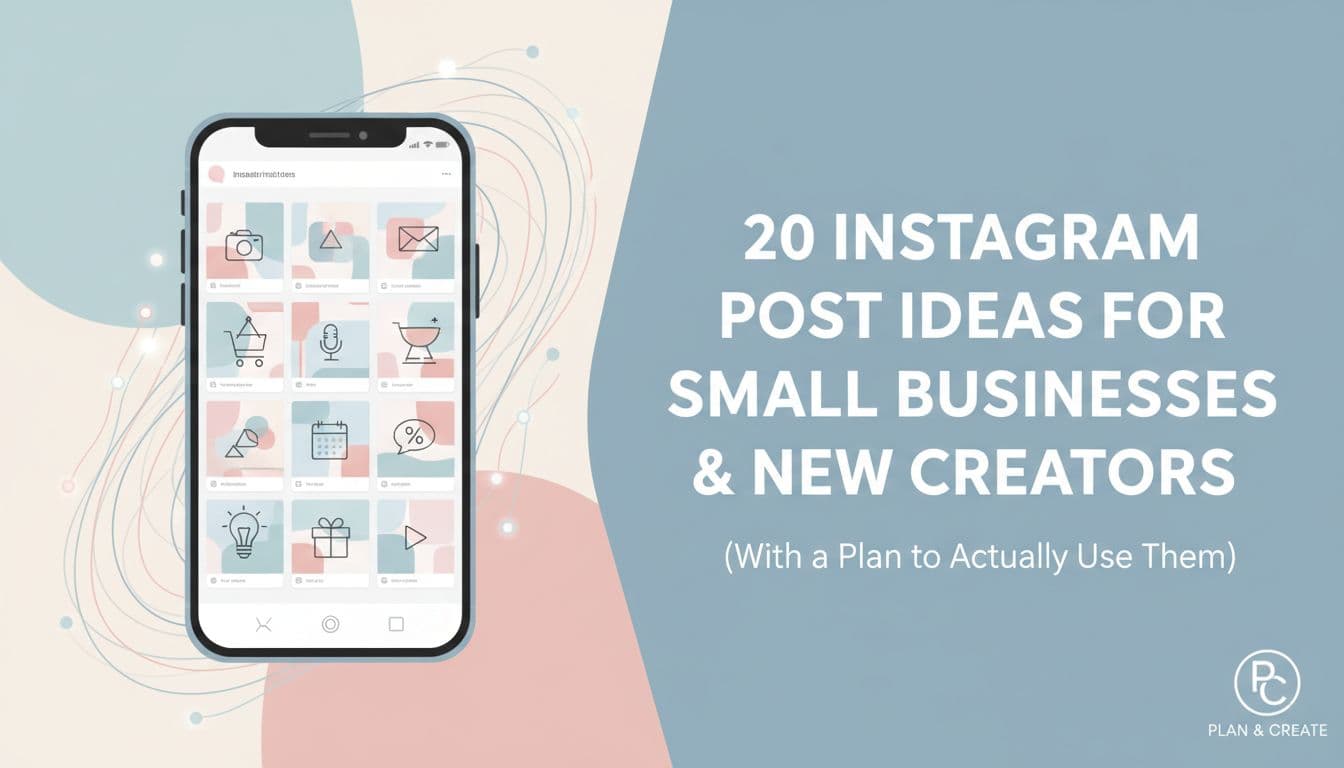
20 Instagram Post Ideas for Small Businesses and New Creators (With a Plan to Actually Use Them)
You open Instagram to post something for your business. You stare at the screen. You type a caption, delete it, type it again, and then close the app and tell yourself you will do it later. Later becomes tomorrow. Tomorrow becomes next week. And the account that was supposed to grow your business sits there with a post from three weeks ago.
This is not a motivation problem. It is an ideas problem. And the good news is that ideas are a system problem, which means they have a system solution.
This article gives you 20 specific Instagram post ideas built for small businesses, solopreneurs, coaches, restaurants, real estate agents, and anyone just getting started in 2026. Each idea connects to a real business goal. Each one comes with a quick tip for executing it. And at the end, you will see how to turn this list into a repeatable monthly content mix you can batch, schedule, and mostly automate so you stop reinventing your content strategy every single week.
Why You Keep Running Out of Instagram Ideas
You are not lazy. You are not bad at marketing. You just do not have a system.
Most small businesses and new creators stall on Instagram not because they lack effort but because they run out of ideas fast. They post when inspired, go quiet when life gets busy, and then feel guilty about the gap. That guilt makes starting again even harder. The fix is not more motivation. It is a repeatable list of post types you can pull from every single week, no matter what is happening in your business.
Think of it like a menu. A good restaurant does not invent a new dish every night. They rotate what works. That is exactly what a structured set of 20 post types gives you. A system, not a one-time fix. When you have a menu of post types, you never sit down to a blank page again. You just ask: which type is up this week, and what specific thing from my business fits it?
Here is the other thing worth saying: vague inspiration content does not convert. Posting a sunset photo with a quote about hustle might get a few likes, but it does not build your email list, bring people into your shop, or get someone to book a call. Every post you put out should have a job. Build trust, drive traffic, generate leads, or grow your following. When you know the goal before you write the caption, the whole thing gets easier and the content actually works.
The Blank Page Problem Is a System Problem
When you sit down to post without a plan, you are making two decisions at once: what to say and how to say it. That double load is what causes the freeze. Separate those decisions. Decide your post types in advance, then just fill them in each week.
A bakery owner does not need to reinvent their content every Monday. They know Tuesday is a behind-the-scenes Reel, Thursday is a product photo with a story, and Sunday is a customer review. That structure alone cuts content creation time in half. You stop asking what should I post and start asking what do I have that fits this slot. That shift is small but it changes everything about how consistent you become.
Not All Post Types Work the Same Way
Instagram has four main formats: single image posts, carousels, Reels, and Stories. Each one behaves differently in the algorithm and serves a different purpose.
Reels get the widest reach and bring in new followers. Carousels keep people on your post longer and tend to get saved. Stories build intimacy with people who already follow you. Single images work best when the visual is strong enough to stop a scroll. A healthy content mix uses all four, not just the one you feel most comfortable with. If you only post single images because Reels feel intimidating, you are leaving reach on the table. If you only post Reels, you miss the depth that carousels build with your existing audience.
Ideas Without Goals Are Just Noise
Before we get into the 20 ideas, here is the filter to run every post through: what do I want someone to do or feel after seeing this?
If the answer is vague, the post will be vague. If the answer is specific, like book a free consultation, visit the link in bio, or trust that I know what I am talking about, your caption writes itself. Every idea in this list comes with a clear goal attached so you never have to guess. Building trust, driving traffic, generating leads, and growing followers are the four goals that actually move a business forward on Instagram. Everything else is noise.
The 20 Instagram Post Ideas (Organized by Goal)
These 20 ideas fall into four buckets: Trust Builders, Engagement Drivers, Sales and Lead Posts, and Reach Expanders. A healthy monthly content mix pulls from all four.
Trust Builders
- 1. Behind-the-scenes process video. Show how you make the thing. A candle maker pouring wax. A coach prepping a client workbook. A restaurant chef doing morning prep. Goal: build trust. Tip: film on your phone, no production needed. Reels format works best here.
- 2. Client or customer result. Share a before-and-after or a short quote from someone you helped. A real estate agent posting a sold sign with a two-sentence client quote does more for credibility than any ad. Goal: build trust and generate leads. Tip: ask clients for a short written testimonial right after the win, while the feeling is fresh.
- 3. Your origin story. Why did you start this business? One honest post about the moment you decided to go for it will outperform a polished brand statement every time. Goal: build trust and grow followers. Tip: write it like you are texting a friend, then clean it up slightly for the caption.
- 4. A mistake you made and what you learned. Vulnerability earns attention. A fitness coach admitting they burned out chasing a number on the scale before finding a sustainable approach is more compelling than a highlight reel. Goal: build trust. Tip: keep the lesson practical, not just emotional.
- 5. A day in your life. String together five to seven clips from your actual workday into a 30-second Reel. People buy from people they feel like they know. Goal: build trust and grow followers.
Engagement Drivers
- 6. This or that poll in Stories. Ask your audience to choose between two things relevant to your niche. A coffee shop: oat milk or almond milk? Goal: grow followers and understand your audience. Tip: use the poll sticker in Stories. It takes 60 seconds to set up.
- 7. Question box in Stories. Ask one specific question and share answers in follow-up Stories. A bookstore could ask: what was the last book that actually changed how you think? Goal: engagement and content ideas for future posts.
- 8. Carousel of tips or lessons. Teach something useful in five to seven slides. Each slide should have one idea. The last slide should have a clear call to action. Goal: saves, shares, and trust. Tip: carousels get more reach when people swipe through all the slides, so make each one worth clicking to.
- 9. A niche-specific opinion. Not political. Niche-specific. A social media manager saying posting every day is overrated. A nutritionist saying calorie counting is not the answer for most people. Goal: engagement and followers. Tip: back it up with your reasoning or it reads as clickbait.
- 10. Fill-in-the-blank post. Write a sentence with a blank and ask people to finish it in the comments. A wedding photographer: my ideal wedding venue would have ___. Goal: comments and reach.
Sales and Lead Posts
- 11. Product or service spotlight. Pick one thing you sell and talk about it directly. Name the price. Describe who it is for. Tell them where to buy it. Goal: drive traffic and generate leads. Tip: do not hide the offer. Ambiguity kills conversions.
- 12. FAQ post. Answer the question you get asked most often. A restaurant posting their most-asked question saves their team time and converts curious followers into customers. Goal: drive traffic and build trust.
- 13. Limited-time offer or announcement. A flash sale, a new product drop, a booking window opening. Keep it simple: what it is, what it costs, and how to get it. Goal: generate leads and drive traffic. Tip: use Stories with a countdown sticker to create urgency.
- 14. Case study or transformation story. Walk through a specific client journey from problem to result. Be specific with numbers when you can. A business coach saying their client went from $4,000 to $11,000 a month in 90 days is more compelling than saying they helped a client grow their revenue. Goal: generate leads and build trust.
- 15. Direct call to action post. Sometimes you just ask. A direct post that says here is what I do, here is who I help, here is how to work with me. No tricks. Goal: generate leads. Tip: post this once a month at minimum. Most creators do not do this enough.
Reach Expanders
- 16. Trending audio Reel. Pair a trending sound with content relevant to your business. A florist showing a time-lapse of an arrangement to a trending audio clip. Goal: reach new audiences. Tip: check the Reels tab weekly to see what audio is picking up traction.
- 17. Collab post with another local business or creator. Instagram's collab feature lets two accounts co-author a post. Both audiences see it. A gym and a meal prep service are a natural fit. Goal: grow followers and reach.
- 18. Educational Reel or carousel on a topic people search for. Think about what your ideal customer types into Instagram search. A real estate agent making a Reel about what to expect at a home inspection gets found by people actively looking for that information. Goal: reach new audiences and build trust.
- 19. Relatable meme or humor post. Keep it niche-specific. A restaurant owner posting a meme about the Sunday brunch rush speaks directly to their audience and gets shared. Goal: reach and grow followers. Tip: only do this if humor fits your brand naturally.
- 20. Seasonal or timely content. Tie your content to a holiday, a season, or a cultural moment relevant to your audience. A candle brand leaning into fall scents in late August gets ahead of the search behavior. Goal: reach and drive traffic.
Mix Your Formats, Not Just Your Topics
Looking at that list, you will notice the ideas span Reels, carousels, Stories, and single posts. That is intentional. Rotating formats is just as important as rotating topics.
A week that has a Reel, a carousel, and a Story poll covers three different audience behaviors: passive scrolling, active reading, and direct participation. Each format reaches a slightly different segment of your audience and serves a different purpose in the algorithm. You do not need to master all four formats at once. Pick two you are comfortable with and add a third when the first two feel easy. The goal is progress, not perfection.
Which Posts to Prioritize When You Are Just Starting Out
If you are brand new to Instagram and have fewer than 500 followers, focus on Trust Builders and Reach Expanders first. You need to give people a reason to follow you before you sell to them.
Posts 1 through 5 and 16 through 20 should make up most of your content in the first 60 days. Once you have an audience that knows and trusts you, layer in the Sales and Lead posts. Trying to sell to an audience that does not know you yet is like proposing on a first date. The timing matters as much as the message.
How to Turn These 20 Ideas Into a Monthly Content System
A list of 20 ideas is only useful if you actually use it. The goal is not to post all 20 in one month and then run dry again. It is to rotate through these buckets every single week so you always know what is coming next.
Build a Simple Weekly Posting Rhythm
Consistency matters more than perfection on Instagram. Posting three times a week with a mix of formats outperforms sporadic bursts of high-effort content, and the data backs this up across accounts of all sizes. Three posts a week is 12 posts a month. That gives you room to pull three ideas from each content bucket every month: one Trust Builder, one Engagement Driver, one Sales or Lead post, and one Reach Expander per week, rotating the specific ideas within each bucket so nothing feels repetitive.
A restaurant running this system in January knows exactly what they are posting on Monday, Wednesday, and Friday for the entire month before the month even starts. That kind of planning removes the daily decision fatigue that kills consistency for most small business owners. And when you miss a day, you do not spiral. You just pick up the next post in the rotation. The system holds even when life does not cooperate.
The creators and small business owners who stay consistent on Instagram are almost never posting in real time. They batch. They sit down once a week or once a month, create a set of posts, and schedule them out. This works because the creative mode and the execution mode are different mental states. Trying to switch between them daily is exhausting. When you batch, you stay in creative mode for the whole session. You write five captions faster than you write one because the momentum builds. A solopreneur who spends two hours on a Sunday batching the week's content will outpost someone who tries to squeeze in a quick post every morning before their day starts.
Use a Content Calendar So Nothing Falls Through
A content calendar does not need to be complicated. It can be a simple spreadsheet with the date, the post type, the format, and the status. But when your calendar lives inside your scheduling tool, it becomes something better. You can see your whole month at a glance, spot gaps before they happen, and move posts around when your plans change.
Aidelly's visual content calendar lets you plan your entire content pipeline and see every post across every platform in one view. When you can see the month laid out, you stop thinking about what to post next and start thinking about whether your mix is balanced. That shift from reactive to proactive is what separates accounts that grow from accounts that plateau.
Batching by Content Bucket Saves Even More Time
When you batch by content type instead of by date, you get even faster. Write all five Trust Builder captions in one sitting. Film all your behind-the-scenes clips in one afternoon. Design all your carousel slides in one Canva session. Your brain stays in one mode instead of jumping between writing, filming, and designing every day.
This also makes it easier to maintain a consistent brand voice. When you write five captions back to back, you naturally stay in the same tone. When you write one caption a day, the tone drifts. And a drifting tone is one of the subtle things that makes an account feel inconsistent even when the posting frequency is fine.
Timing, Scheduling, and Letting AI Handle the Rest
You can have the best content in the world and still underperform if you are posting at the wrong time. And you can have the right timing but burn out fast if you are doing everything manually.
The Best Time to Post on Instagram Is Specific to Your Audience
Knowing the best time to post on Instagram for your specific audience is as important as knowing what to post. General advice says post between 9am and 11am on weekdays. But that is an average across millions of accounts. Your audience might be night-shift nurses who scroll at midnight. Or stay-at-home parents who check their phones during school pickup at 3pm.
The only way to know is to look at your own analytics and test. Most platforms show you when your followers are most active. Start there, post at those times for four to six weeks, and see what the data tells you. Then adjust. This is not a one-time setup. It is an ongoing feedback loop. The accounts that grow fastest are the ones that treat their content like an experiment, not a performance.
The problem is that manually hitting publish at the exact right time every day is not realistic when you are running a business. Tools that combine content planning with auto-scheduling remove the guesswork entirely. You set the optimal time once, and the post goes out automatically, whether you are in a client meeting, doing a showing, or asleep.
Auto-Scheduling Frees You From the Phone
Auto-scheduling is not just a convenience feature. It is what makes consistency possible for people who are not full-time content creators. A restaurant owner cannot stop service at 11am to post on Instagram. A real estate agent cannot pause a showing to hit publish.
When you schedule posts in advance, you decouple creation from distribution. You batch on Sunday, schedule everything, and then forget about it until next Sunday. The posts go out on time, every time, without you touching your phone. That reliability compounds over weeks and months into the kind of consistent presence that actually builds an audience. Consistency is not about trying harder every day. It is about building a system that works without you having to think about it.
AI Can Draft, Schedule, and Optimize Your Content End to End
AI-powered tools like Aidelly can generate platform-optimized post ideas, draft captions in your brand voice, and schedule them automatically, so creators and small business owners spend less time on logistics and more time on their actual work. This is not about replacing your creativity. It is about removing the parts of content creation that drain your energy without adding value: staring at a blank caption field, reformatting a LinkedIn post for Instagram, figuring out which hashtags are still relevant in 2026.
Aidelly's AI drafts content based on your stored brand voice and the platform you are posting to, so a caption written for Instagram does not read like a press release. You review it, tweak it if you want, and schedule it. The whole process takes minutes instead of hours. For teams or agencies managing multiple clients, the approval workflow means nothing goes live until the right person signs off. That combination of speed, brand consistency, and control is what turns a content strategy from something that exists on paper into something that actually runs week after week.
You now have 20 specific post ideas, a framework for connecting each one to a real business goal, and a system for turning them into a repeatable monthly content mix. The ideas are not the hard part anymore. The execution is, and that is exactly where the right tools make the biggest difference.
Posting consistently on Instagram is less about discipline than it is about removing friction. When you know what to post, when to post it, and have a tool that handles the scheduling automatically, the whole thing stops feeling like a chore and starts feeling like a system that works for you. That is the shift that separates accounts that grow from accounts that stall.
If you are ready to stop starting from scratch every week and start running a content system that actually holds, Aidelly is built for exactly that.
Having 20 post ideas is a good start. Having a system that writes, schedules, and tracks them for you is what keeps you consistent past week two. Aidelly's agentic workflows handle the whole process end-to-end, from drafting captions in your brand voice to auto-scheduling posts at the right time to analyzing what's working. If you're ready to turn this list into a content calendar that actually runs itself, start at aidelly.ai.
Compare Social Scheduling Tools
Evaluating software for your content workflow? Use our buyer guides and comparisons to compare scheduling, approvals, analytics, and AI workflow fit.
Share this article
Related Articles
7 Steps to Create a Social Media Content Calendar for Your Small Business
Most small business owners treat a content calendar like a finish line. Build the spreadsheet, fill in the dates, done. But a calendar with no system behind it falls apart by week three. You miss a day, then two, then you're back to posting whatever feels urgent. This guide walks you through seven steps to build a social media content calendar that actually holds up, starting with a clear business goal and ending with a workflow where AI agents handle the repetitive parts for you. Whether you've tried Google Sheets, a basic scheduler, or nothing at all, these steps will help you post consistently without spending hours every week on content. No fluff, no generic advice about posting on Tuesdays. Just a repeatable system built around how small businesses actually work.
Apr 18, 2026
Read more
From Likes to Leads: How to Turn Social Media Engagement into Real Business Results
You're posting consistently. People are liking your content, dropping comments, maybe even sharing it. But your inbox is quiet. Sales haven't moved. And you're starting to wonder if social media actually works for businesses like yours. It does. But most businesses are stopping at the wrong finish line. Likes and comments aren't the goal. They're the starting point. The gap between engagement and revenue isn't a content problem. It's a systems problem. Businesses that consistently convert followers into customers aren't just posting better content. They're posting at the right times, on the right platforms, with the right follow-through. This article breaks down exactly where the disconnect happens and how to fix it, so your social media activity starts showing up in your revenue, not just your analytics dashboard.
Apr 19, 2026
Read more
How to Plan Your Social Media for the Month (A Step-by-Step Guide That Actually Works)
Most people treat social media planning like a chore they put off until the last minute. They post when they remember, scramble for ideas on Monday morning, and wonder why their numbers never improve. The fix is not posting more. It is planning smarter. This guide walks you through a real monthly planning process, step by step, from setting goals to auditing last month's performance to batching your content creation so you are not reinventing the wheel every week. And at each stage, you will see how agentic AI tools can take over the repetitive work so you only have to do the thinking once. The result is not just a full content calendar. It is a system that keeps running even when you are heads-down in the actual work of your business.
May 1, 2026
Read moreReady to never miss a post again?
Tell Aidelly what to post. It drafts, schedules, and publishes across 7 platforms while you focus on your business.