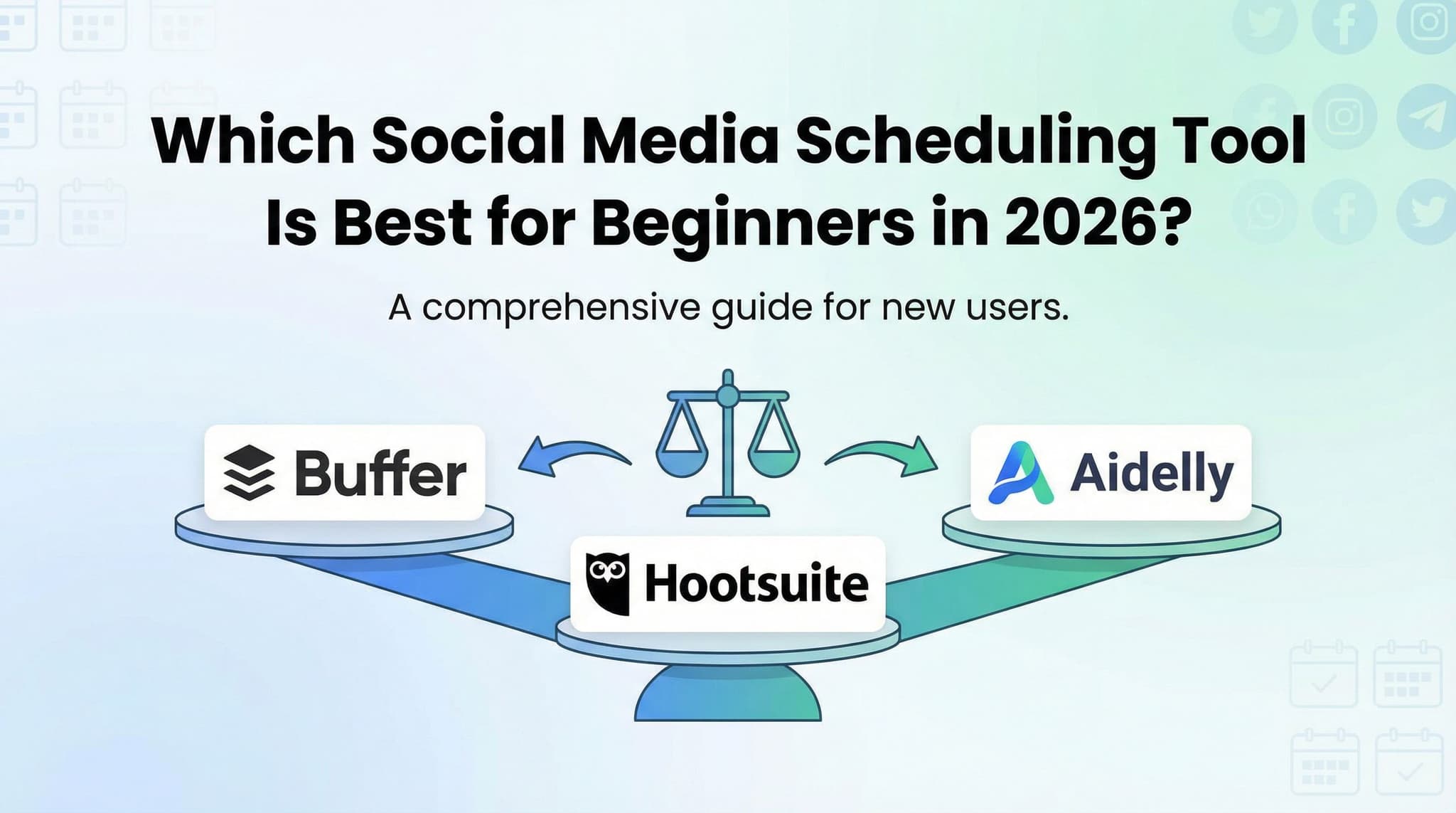
Buffer vs. Hootsuite vs. Aidelly: Which Social Media Scheduling Tool Is Best for Beginners in 2026?
Let's be real: when you're just starting to manage social media for your business, the last thing you need is another tool that requires a PhD to figure out. You've got enough on your plate—customer emails, product development, actual client work. The idea of spending hours learning complicated software sounds like a nightmare.
But here's the thing—the right social media scheduling tool shouldn't feel like homework. It should feel like it's actually saving you time and helping you look more professional online, not adding to your stress.
In 2026, we've got three solid players in the beginner-friendly scheduling space: Buffer, the minimalist's dream with its clean interface and straightforward approach; Hootsuite, the Swiss Army knife that's packed with features but might intimidate newcomers; and Aidelly, the fresh-faced newcomer using AI to take the guesswork out of content strategy.
The challenge? They're all genuinely good at what they do, just in different ways. Choosing between them isn't about finding the "best" tool—it's about finding the best tool for *your* specific situation, your budget, and how much complexity you're willing to embrace.
That's exactly what we're here to help you figure out.
Section 1: Understanding Your Options—The Core Differences
Before we dive into the detailed comparison, it helps to understand what makes each of these tools fundamentally different in philosophy and approach. They're not just variations on the same thing—they're solving the social media scheduling problem in distinctly different ways, and that matters when you're trying to pick your first tool.
Buffer, Hootsuite, and Aidelly each bring their own perspective to social media management. Some prioritize simplicity above all else. Others believe that more features mean more power, even if there's a learning curve involved. And some are betting that artificial intelligence can handle the thinking work while you focus on strategy.
Understanding these philosophical differences will help you make a choice that aligns with how you actually like to work, not just what looks good on a feature list.
1.1 Buffer: The Minimalist's Choice for Absolute Beginners
If you're the type of person who gets genuinely stressed by too many options and buttons on your screen, Buffer is probably calling your name. Buffer offers simplicity and affordability with a clean interface ideal for beginners, featuring straightforward scheduling, analytics, and team collaboration on a freemium model.
Here's what makes Buffer special: when you open it for the first time, you don't feel like you need to take a training course. The interface is genuinely intuitive. Your main tasks are right there in front of you—compose a post, pick when it goes out, hit schedule. Done.
The platform started with a simple philosophy: social media scheduling shouldn't require you to be a tech expert. Over the years, they've stuck to that philosophy even as they've added more features. They resist the temptation to pack in every possible feature just because they can.
Buffer's freemium model is particularly attractive for beginners. You can actually get real value from the free tier—scheduling posts across multiple platforms, basic analytics, and the ability to manage up to 3 social accounts. That's genuinely useful. Many beginners never feel the need to upgrade. And when you do eventually want more, the paid plans are genuinely affordable compared to competitors.
The team collaboration features, even on the free tier, are solid. If you want to bring in a colleague to help manage your social media, Buffer makes it easy to give them access without overwhelming them with unnecessary permissions or complicated approval workflows. It's just straightforward and practical.
1.2 Hootsuite: The Comprehensive Platform for Growing Teams
Hootsuite provides comprehensive features including multi-channel management, advanced analytics, and workflow automation, though its steeper learning curve may challenge absolute beginners. Think of Hootsuite as the "everything and the kitchen sink" option. If you can imagine a social media management feature, Hootsuite probably has it.
This is both Hootsuite's greatest strength and its biggest weakness for beginners. The platform is incredibly powerful—enterprise teams manage massive, complex social media operations using Hootsuite. But that power comes with complexity. There are more menus, more settings, more options to configure. The interface is busier. There are more ways to do things, which means more decisions to make.
For someone who's never used a social media management tool before, opening Hootsuite for the first time can feel like walking into an airplane cockpit. There are dials and switches and displays everywhere. It's not that anything is poorly designed—it's just that there's a lot of it.
Where Hootsuite shines is when you're ready to grow beyond the basics. Once you've got your head around the interface and you're comfortable with social media management, Hootsuite's depth becomes an asset rather than a liability. You can build sophisticated workflows, create complex approval processes, manage dozens of accounts, and get incredibly detailed analytics that actually inform business decisions.
The platform's multi-channel management is particularly impressive. Hootsuite doesn't just handle the major platforms—it integrates with niche platforms and regional networks that other tools might ignore. If your business operates in multiple countries or uses less common social networks, Hootsuite is more likely to have you covered.
1.3 Aidelly: The AI-Powered Newcomer Reshaping the Game
Aidelly focuses on AI-powered content suggestions and optimization, offering a modern approach to scheduling with competitive pricing and ease of use for small businesses. If Buffer is the minimalist and Hootsuite is the maximalist, Aidelly is trying to be the smart assistant. Instead of just giving you a blank canvas to work with, Aidelly uses artificial intelligence to suggest what you should post, when you should post it, and how to optimize it for maximum engagement.
This is genuinely different from the other two approaches. Aidelly assumes that you might not know what content will perform best, and instead of making you figure it out through trial and error, it learns from your audience and makes recommendations. For beginners especially, this takes a lot of the guesswork out of social media management.
The interface is modern and clean—somewhere between Buffer's simplicity and Hootsuite's complexity. It's designed for small business owners and solopreneurs who want powerful features without the overwhelming learning curve. Aidelly gets that you're probably managing social media in addition to fifty other things, and it tries to make the tool work around your schedule rather than demanding you learn its systems.
What makes Aidelly particularly interesting in 2026 is how it's positioned itself. AI-driven content recommendations have moved from "nice to have" novelty features to genuine business value. If you're struggling to come up with what to post or when to post it, Aidelly's AI suggestions can actually save you significant time and improve your results. For a beginner especially, having an AI co-pilot suggesting content ideas is genuinely helpful.
The competitive pricing and focus on essential platform connections (rather than trying to connect to everything under the sun) makes Aidelly accessible to small businesses operating on tight budgets. You're not paying for integrations you'll never use—you're paying for a tool that does the core job really well.
Section 2: The Practical Stuff That Actually Matters—Pricing, Learning, and Getting Started
Okay, so now you understand the philosophical differences between these three platforms. But when you're choosing a tool for your actual business, philosophy only takes you so far. What really matters is the practical stuff: How much does it cost? How long until you're actually productive? How good is the support when you get stuck?
These are the questions that determine whether you'll still be using this tool in six months or whether you'll have abandoned it in frustration because it was too expensive, too confusing, or too unhelpful when you needed support.
Let's look at the real, practical differences between these three tools.
2.1 The Money Question: Pricing and What You Actually Get
Pricing comparison shows Buffer starting at free tier, Hootsuite at $49/month professional plan, and Aidelly at competitive mid-range pricing with different feature sets. Let's talk money, because for most beginners, budget is a real constraint. You're not a Fortune 500 company with unlimited marketing budgets. You need to know whether you're spending $0, $20, or $100 per month, and you need to know whether you're getting real value for that money.
Buffer's pricing is refreshingly straightforward. Their free tier is genuinely useful—you can manage up to 3 social accounts, schedule unlimited posts, and get basic analytics. That's actually enough for many small businesses and solopreneurs. There's no arbitrary limitation like "you can only schedule 5 posts per day" or "you only get analytics for the last 7 days." The free tier is limited by the number of accounts, not by artificial restrictions on how much you can use it.
If you want to upgrade from Buffer's free tier, the paid plans are affordable. You're looking at roughly $5-15 per month depending on the plan and how you pay (annual plans are cheaper). Even their premium plans are in the $80-100 range per month, which is genuinely accessible for small businesses.
Hootsuite takes a different approach to pricing. Their entry-level professional plan starts at $49 per month. That's not outrageous, but it's a significant jump from Buffer's free tier. For what you get, it's fair—Hootsuite's paid plans unlock team collaboration, advanced analytics, and more integrations. But it's worth noting that there's no true "free" tier with Hootsuite anymore. They have a free trial, but you're not getting ongoing free access like you do with Buffer.
Aidelly's pricing falls in the middle—competitive mid-range pricing that positions it between Buffer's affordability and Hootsuite's enterprise-level costs. You're typically looking at $10-30 per month depending on your needs and how many accounts you're managing. The value proposition is the AI-powered recommendations and optimization, which justifies the price point for small businesses that would otherwise be paying for Hootsuite without using most of its features.
Here's the real talk: if you're just starting out and money is tight, Buffer's free tier is genuinely hard to beat. You can run an entire small business social media operation on it without spending a penny. But as soon as you need team collaboration or more advanced features, you're making a choice between paying $5-15 for Buffer's premium, $49 for Hootsuite, or $10-30 for Aidelly. That's a meaningful difference, and it should factor into your decision.
2.2 The Learning Curve: How Fast Can You Actually Be Productive?
Learning curve and onboarding time differs substantially, with Buffer requiring minimal training, Hootsuite needing 2-4 weeks for proficiency, and Aidelly offering quick setup. Here's a scenario: it's Tuesday morning, you've just signed up for a social media scheduling tool, and you want to schedule your first post by lunchtime. Can you do it? The answer depends on which tool you chose.
With Buffer, the answer is absolutely yes. You could probably schedule your first post in under 5 minutes if you wanted to. The interface is so straightforward that you don't need training. You connect your social accounts, click "compose," write your post, pick when it should go out, and hit schedule. That's genuinely it. There's no hidden complexity. There are no settings you need to configure first. It just works.
We're talking minimal training here. Even someone who's never used a social media management tool before can be productive immediately. The learning curve is essentially flat. You pick it up as you go, and there's nothing you need to learn upfront to get started.
Hootsuite is a different story. Yes, you can schedule a post your first day, but getting truly comfortable with the platform takes longer. We're talking 2-4 weeks of regular use before you're proficient. There are more settings to understand, more ways to do things, more features to discover. The learning curve isn't steep—it's more like a gradual climb that takes longer than you might expect.
This isn't a criticism of Hootsuite. The features are there because they're useful. But it does mean that if you're evaluating Hootsuite, you need to commit to actually learning the platform. You can't just open it and intuitively figure it out. You'll need to watch some tutorials, read the documentation, or take their training courses.
Aidelly splits the difference. Quick setup means you can be scheduling posts within your first 30 minutes. The interface is modern and intuitive enough that you don't need extensive training, but there's slightly more to learn than Buffer because there are more options available. Think of it as "Buffer-level simplicity with a few more knobs to turn." For most beginners, that's a sweet spot—easy enough to get started immediately, but with enough depth that you don't feel limited as you learn.
The practical implication: if you want to be productive immediately with zero learning curve, Buffer wins. If you're willing to invest 2-4 weeks to learn a more powerful platform, Hootsuite is worth it. If you want something in between—easy to start but with more features available as you learn—Aidelly is your pick.
2.3 Integration Capabilities: Connecting to the Rest of Your Business
Integration capabilities vary significantly, with Hootsuite supporting 1000+ apps, Buffer supporting 100+ integrations, and Aidelly offering essential platform connections. Here's a question beginners often don't think about until they need it: what else do you want this tool to connect to? Maybe you use Zapier to automate workflows. Maybe you want your scheduling tool to connect to your CRM or your email platform. Maybe you need it to integrate with your analytics tools so you can see everything in one place.
This is where the platforms start to show their different philosophies again. Hootsuite is the integration king. With 1000+ app connections available, you can connect Hootsuite to essentially anything. If you can dream up an integration, Hootsuite probably has it or can support it through Zapier. This is powerful for businesses that are building complex automation workflows, but it's also overwhelming for beginners who don't need most of those integrations.
Buffer supports 100+ integrations, which is still a lot. For most common use cases—connecting to your email platform, your CRM, analytics tools, and other popular business apps—Buffer has you covered. The difference between 100 and 1000 integrations matters more in theory than in practice for small businesses. Unless you're using extremely niche or specialized tools, Buffer's integration library is probably sufficient.
Aidelly takes the "essential platform connections" approach. Instead of trying to connect to everything, Aidelly focuses on integrating with the platforms that matter most to small businesses. You get what you need, without the bloat of hundreds of integration options that you'll never use. For a beginner, this is actually preferable. You're not drowning in choices. You're getting the integrations that matter.
The practical reality: if you're a solopreneur managing one Instagram account, integration capabilities probably don't matter much to you. You'll schedule posts, and that's it. But if you're building a more complex workflow—automating content distribution across multiple channels, connecting your scheduling tool to your CRM, or feeding data into your analytics platform—then integration capabilities become more important. Hootsuite's breadth wins here, but for most small businesses, Buffer or Aidelly's focused approach is more than sufficient.
Section 3: The Difference That Comes After Setup—Analytics, Support, and Real Success
Choosing a tool and getting started is one thing. But what happens next? When you're actually using this tool every week, relying on it to manage your business's social presence, what does that experience look like? Does the tool give you useful insights about what's working? When you get stuck or confused, can you actually get help?
These are the questions that determine whether you'll feel confident and in control of your social media strategy, or whether you'll feel lost and frustrated.
Let's talk about what happens after the honeymoon phase ends and you're living with this tool day to day.
3.1 Analytics and Reporting: From Basic Insights to AI-Driven Recommendations
Analytics and reporting features range from basic Buffer insights to enterprise-level Hootsuite dashboards to AI-driven Aidelly recommendations. Analytics might sound boring, but here's why it matters: you want to know whether your social media efforts are actually working. Are people engaging with your posts? Is your audience growing? What type of content performs best? These questions matter because they help you improve your strategy over time.
Buffer's analytics are straightforward and beginner-friendly. You can see how many people engaged with each post, which posts performed best, and how your audience is growing over time. The reports are clean and easy to understand. You're not drowning in data. You're getting the essential metrics that actually matter for a small business.
The analytics are presented in a way that makes sense to beginners. There's no jargon you need to decode. You see a number, you understand what it means, and you can act on it. If post A got 50 likes and post B got 10 likes, it's immediately obvious which type of content resonates better with your audience. That's useful.
Hootsuite's analytics are on the other end of the spectrum. They're incredibly detailed and comprehensive. You can create custom reports, drill down into specific metrics, compare performance across channels, and generate reports that would impress an executive team. The platform gives you access to enterprise-level analytics.
But here's the thing—if you're a beginner, you probably don't need enterprise-level analytics. You don't need to create a 30-page monthly report with dozens of metrics. You just want to know whether things are working or not. Hootsuite's analytics can actually be overwhelming for beginners. There's so much data available that it's easy to get lost trying to figure out which metrics actually matter.
Aidelly takes a different approach: AI-driven recommendations. Instead of just showing you raw data, Aidelly uses artificial intelligence to analyze your performance and recommend what you should do next. Maybe it notices that your posts perform better on Tuesday mornings, so it recommends scheduling more content for that time slot. Maybe it identifies that video content gets more engagement than images, so it suggests creating more videos.
For beginners especially, this is genuinely valuable. You're not just looking at numbers and trying to interpret what they mean. You're getting actionable recommendations from an AI that's analyzing your data. It's like having a social media consultant looking over your shoulder and giving you advice.
The analytics you choose matter. If you want to understand your audience and improve over time, you need analytics. Buffer's approach is perfect if you just want to know the basics. Hootsuite's approach is perfect if you want to dive deep and become a data nerd. Aidelly's approach is perfect if you want the AI to do the thinking for you and just tell you what to do next.
3.2 Customer Support: Getting Help When You Actually Need It
Customer support quality and availability impacts beginner success, with live chat, email, and knowledge base resources varying by platform. Here's something that doesn't get talked about enough: customer support is genuinely important when you're learning a new tool. You will get stuck. You will have questions. You will need help. The question is: when that happens, can you actually get it?
Buffer's support is solid. They offer email support, and live chat is available during business hours. They have a comprehensive knowledge base with tutorials and documentation. The support team is responsive and helpful. If you email with a question, you'll typically get a response within a few hours. If you chat during business hours, you can usually connect with someone immediately.
The knowledge base is particularly good. Buffer has invested in creating tutorials and documentation that actually explain how to do things. If you're stuck, there's a good chance that searching the knowledge base will give you the answer you need without having to wait for support.
Hootsuite's support varies depending on which plan you're on. On their free trial or lowest-tier plans, support options are limited. You get email support and access to their knowledge base, but not live chat. On their paid plans, you get access to live chat and more comprehensive support. This is one of the hidden costs of Hootsuite—if you want quality support, you need to be on a paid plan.
The knowledge base is extensive, but honestly, it can be overwhelming. There's so much documentation that sometimes it's hard to find what you're looking for. Hootsuite has been around for a long time and has accumulated a lot of documentation, which is great, but it can also make it harder for beginners to find the specific answer they need.
Aidelly's support is modern and responsive. They offer live chat, email support, and a knowledge base. The support team is quick to respond, and they're genuinely helpful. Because Aidelly is newer and more focused on small businesses, the support feels more personalized. You're not talking to a support team that's handling enterprise clients—you're talking to people who understand what it's like to be a small business owner.
The knowledge base is well-organized and beginner-friendly. Aidelly has thought about the questions beginners actually ask, and they've created documentation that addresses those questions directly.
Here's the practical reality: all three platforms have support. Buffer and Aidelly have support that feels more accessible and beginner-friendly. Hootsuite's support is comprehensive but can feel less personal if you're not on a high-tier plan. If you know you'll need support when you're learning, Aidelly or Buffer might be better choices because the support feels more aligned with beginner needs.
3.3 Real Beginner Scenarios: Making the Decision
Okay, we've covered a lot of ground. You understand the differences between these platforms, the pricing, the learning curves, the analytics, and the support. But you're probably still wondering: which one should I actually choose?
Let's walk through some real beginner scenarios and see which tool makes the most sense for each situation.
Scenario 1: You're a solopreneur with a tight budget. You're managing your own Instagram and LinkedIn, and you don't have money to spend on tools. You want something free or nearly free that you can use to schedule posts without spending hours on social media every day. Best choice: Buffer. The free tier is genuinely useful. You can manage both accounts, schedule unlimited posts, and get basic analytics. You're not paying anything, and you're getting real value. If you later decide you want more features, you can upgrade to a paid plan for just a few dollars per month.
Scenario 2: You're managing social media for a small business, and you need to collaborate with a team member. You want something that's not too complicated, but you need the ability to have someone else help manage your accounts without giving them access to everything. Best choice: Buffer. Buffer's team collaboration features are straightforward and easy to use. You can invite team members, assign roles, and set up approval workflows without dealing with complex permission structures. It's designed for small teams, not enterprises.
Scenario 3: You're building a more complex social media operation with multiple accounts across different platforms. You're managing Instagram, Facebook, TikTok, and LinkedIn for your business, and you need to track detailed analytics to justify your social media spend to your boss. You're willing to invest time in learning a more complex tool. Best choice: Hootsuite. Hootsuite's multi-channel management and detailed analytics are designed for exactly this situation. Yes, it takes longer to learn, but once you're proficient, you'll have capabilities that Buffer and Aidelly don't offer. The investment in learning the platform pays off.
Scenario 4: You're not sure what content to post or when to post it, and you want help figuring out your social media strategy. You're new to social media management and you'd benefit from AI-powered suggestions about what content will perform best. Best choice: Aidelly. Aidelly's AI recommendations are designed exactly for this situation. You're not just getting a tool to schedule posts—you're getting an AI co-pilot that helps you figure out what to post and when to post it. For beginners who are uncertain about their social media strategy, this is genuinely valuable.
Scenario 5: You want a balance between simplicity and features, and you're willing to pay a reasonable amount for a tool that grows with you. You're not looking for the absolute cheapest option, but you also don't want something overly complicated. Best choice: Aidelly. Aidelly hits a sweet spot for this situation. It's more affordable than Hootsuite, easier to learn than Hootsuite, but more feature-rich than Buffer. You get a tool that you can grow into without overwhelming yourself upfront.
The key insight here is that there isn't one "best" tool for everyone. The best tool depends on your specific situation—your budget, your team size, your technical comfort level, and what you're trying to accomplish with social media.
Choosing the right social media scheduling tool for your business doesn't have to be complicated. Whether you're drawn to Buffer's refreshing simplicity, Hootsuite's comprehensive power, or Aidelly's AI-driven innovation, the key is picking a tool that matches your current needs and has room to grow as your business evolves. Start with an honest assessment of your situation—your budget, your team size, and your social media goals—then match that to the platform that makes the most sense.
Remember, the best tool isn't the one with the most features or the biggest name. It's the one you'll actually use consistently, that won't frustrate you when you're learning, and that delivers real value to your business. All three of these platforms can do that. Your job is simply to figure out which one fits your specific situation best.
Once you've picked your tool and gotten comfortable with it, you'll be amazed at how much time and mental energy you reclaim by automating your social media scheduling. That's when social media management stops feeling like a chore and starts feeling like a strategic advantage for your business.
Whether you're just dipping your toes into social media management or looking to streamline your posting schedule, the right tool can make all the difference in keeping your brand voice consistent without eating up hours of your week. If you've resonated with Aidelly's approach throughout this comparison—especially its focus on making content creation and scheduling effortless while helping you maintain that authentic brand presence across all your platforms—you might be ready to give it a try risk-free. Why not spend a few minutes exploring how Aidelly could fit into your workflow? Get started at aidelly.ai and see if it's the beginner-friendly solution you've been looking for.Compare Social Scheduling Tools
Evaluating software for your content workflow? Use our buyer guides and comparisons to compare scheduling, approvals, analytics, and AI workflow fit.
Share this article
Related Articles

How to Create a Social Media Style Guide for Your Brand: The Beginner's Guide to 2026
Building a strong brand presence on social media doesn't happen by accident. A social media style guide is your secret weapon for staying consistent, professional, and memorable across every platform. Whether you're a solopreneur just starting out or a small business owner managing multiple channels, this comprehensive beginner's guide walks you through creating a style guide that actually works—complete with practical templates, real-world examples, and actionable steps you can implement today.
Feb 5, 2026
Read more
Social Media Trends 2026: The Beginner's Survival Guide to Staying Ahead Without the Overwhelm
Social media in 2026 looks nothing like it did three years ago. If you're just starting out or trying to grow your small business online, you've probably noticed the landscape has shifted dramatically—new platforms are popping up, algorithms are rewarding different behaviors, and the pressure to 'keep up' feels more intense than ever. But here's the good news: you don't need a massive budget or a team of experts to win on social media anymore. This comprehensive guide breaks down the 10 trends that actually matter for beginners in 2026, cuts through the hype, and gives you practical, step-by-step tactics you can implement today. Whether you're a solopreneur, a freelancer building your personal brand, or a small business owner with a shoestring marketing budget, you'll learn exactly where to focus your energy for maximum impact.
Feb 5, 2026
Read more
Demystifying Social Media Algorithms in 2026: A Beginner's Guide to Getting Noticed Without Gaming the System
Social media algorithms feel like black boxes, right? You post content and hope it reaches people, only to watch your engagement numbers flatline. But here's the truth: algorithms aren't mysterious gatekeepers designed to frustrate you. They're actually systems built to connect creators like you with audiences who genuinely care about what you're sharing. In this comprehensive guide, we'll break down exactly how algorithms work across Instagram, TikTok, Facebook, LinkedIn, and Twitter, reveal what actually influences your visibility, and give you practical strategies to grow your reach organically. Whether you're a small business owner, aspiring influencer, or freelancer just starting out, you'll learn the real factors that matter—and the myths you can stop worrying about right now.
Feb 5, 2026
Read moreReady to never miss a post again?
Tell Aidelly what to post. It drafts, schedules, and publishes across 9 platforms while you focus on your business.