Twitter Analytics Beginner's Guide 2026: Turn Data Into Real Results (No Tech Skills Required)
Let's be honest: Twitter Analytics can feel intimidating at first glance. You log in, click on the analytics section, and suddenly you're staring at graphs, percentages, and metrics with names like "impressions" and "engagement rate." Your brain immediately switches to overwhelm mode, and you close the tab telling yourself you'll figure it out later.
Here's the thing—you don't need to be a data scientist to understand Twitter Analytics. In fact, the platform has made it surprisingly user-friendly for beginners. The real problem isn't that the data is complicated; it's that nobody's explained it in a way that actually connects to what you're trying to do: grow your audience, get more engagement, and build your brand on Twitter.
Whether you're a small business owner trying to drive traffic to your website, a content creator looking to build a loyal following, or a marketing professional new to Twitter, this guide will change how you think about analytics. We're not just going to explain what each metric means. We're going to show you exactly how to use that data to make better decisions about what you post, when you post it, and who you're reaching. By the time you finish reading, you'll have a clear, actionable playbook for improving your Twitter performance.
Section 1: Getting Started With Twitter Analytics—The Dashboard Breakdown
Before you can use Twitter Analytics to improve your performance, you need to know where everything is and what you're looking at. The good news is that Twitter has organized their analytics dashboard in a way that actually makes sense, even for beginners. Once you understand the layout, you'll feel confident navigating to the data you need whenever you need it.
The Twitter Analytics dashboard is designed around three main views: your overall account performance, individual tweet performance, and audience insights. Think of it like the control center for your Twitter presence—everything you need to understand how your content is performing lives here. The layout is intuitive enough that after your first visit, you'll know exactly where to find what you're looking for.
The beauty of Twitter Analytics is that you don't need to access every feature every day. Instead, you'll develop a rhythm: checking your overall dashboard weekly to spot trends, diving into individual tweet data when you want to understand what worked, and reviewing audience insights monthly to refine your content strategy. This structured approach prevents you from getting lost in the data and ensures you're always looking at information that's actually relevant to your current goals.
1.1: How to Find and Access Twitter Analytics
Getting to your Twitter Analytics is simpler than you might think. If you're on Twitter's web platform, click on your profile icon in the top right corner, then select "Analytics" from the dropdown menu. Boom—you're in. If you're using the Twitter app on your phone, tap the three horizontal lines (the menu), scroll down, and tap "Analytics." It's that straightforward.
One important note: you need a Twitter Business Account or Creator Account to access analytics. If you're still using a personal account and you want to see detailed analytics, you'll need to convert. Don't worry—it's a simple process that takes about two minutes, and you won't lose any followers or tweets. The conversion is completely reversible if you change your mind later.
Once you're in the analytics section, you'll see a few different tabs at the top: Home, Tweets, and Followers (on some accounts, you might also see additional tabs depending on your account type). The Home tab is your dashboard—it shows you an overview of your performance. The Tweets tab lets you dive into individual tweet performance. The Followers tab shows you demographic information about who's following you. Each tab serves a specific purpose, and we'll explore all of them in detail throughout this guide.
1.2: Understanding the Dashboard Layout and Main Sections
When you first land on your analytics home page, you'll see several key sections. At the top, you'll typically see your main metrics for the time period you've selected (Twitter defaults to the last 28 days, but you can adjust this). These are your headline numbers—the ones that give you a quick snapshot of how you're doing.
Below that, you'll find visual charts showing trends over time. You might see a line graph showing your tweet impressions over the past month, or a bar chart showing your follower growth week by week. These visualizations are incredibly helpful because they let you spot patterns at a glance. Is your engagement trending up? Down? Staying flat? The graph tells you instantly.
The key sections you'll typically see on your home dashboard include: your total impressions (how many people saw your tweets), your total engagements (how many people interacted with your tweets), your follower count and growth, and sometimes your most-engaged tweets from the period. Some accounts also show metrics like mentions and replies. Don't feel like you need to understand every single number right away—focus on the ones that matter most to your goals, and the rest will make sense as you spend more time in the platform.
1.3: Navigating Between Views and Customizing Your Dashboard
Twitter Analytics allows you to customize your view to focus on the metrics that matter most to you. At the top of the dashboard, you'll see a date range selector. By default, it shows the last 28 days, but you can change this to look at the last 7 days, 30 days, or even a custom date range. This is useful when you're trying to understand the impact of a specific campaign or content change.
You can also switch between different metric views depending on what you're analyzing. For example, if you want to focus purely on engagement metrics, you can filter your view to show only those numbers. If you're interested in follower growth, you can zoom in on that data. This flexibility means you're not drowning in information you don't need—you're seeing exactly what's relevant to your current analysis.
Pro tip: bookmark your analytics page so you can get there faster. Better yet, make it a habit to check your analytics on the same day each week—say, every Monday morning. This consistency helps you spot real trends versus random fluctuations. When you visit at the same time each week, you're looking at comparable data, which makes it easier to see if your efforts are actually paying off or if you need to adjust your strategy.
Section 2: Decoding the Numbers—Key Metrics That Actually Matter
Now that you know where everything is, let's talk about what all those numbers actually mean. This is where a lot of beginners get stuck. They see "impressions" and "engagement rate" and think, "Okay, but what does this have to do with my business?" We're going to change that by connecting each metric directly to real-world impact.
The metrics in Twitter Analytics fall into a few categories: reach metrics (how many people saw your content), engagement metrics (how many people interacted with your content), and audience metrics (who your followers are and what they care about). Understanding the difference between these categories is crucial because they tell you different things about your Twitter performance.
Here's the mental model to keep in mind: reach metrics tell you if people are seeing your content. Engagement metrics tell you if they care about it. Audience metrics tell you who you're reaching and whether they're the right people. All three are important, and together they paint a complete picture of your Twitter health. Let's break down each one.
2.1: Reach Metrics—Impressions, Reach, and What They Tell You
Let's start with impressions, because it's the metric that confuses the most people. An impression is simply one person seeing one of your tweets. If your tweet gets 500 impressions, that means 500 people saw it (though some of those might be the same person seeing it multiple times if it appeared in their feed more than once).
Reach is similar but slightly different—it's the number of unique people who saw your tweet. So if 500 people saw your tweet but 100 of them saw it twice, your reach might be 450 unique users. Both metrics are important, but for beginners, impressions is the number to focus on because it's easier to understand and more readily available in your dashboard.
Why do impressions matter? Because they're a measure of visibility. If nobody's seeing your tweets, they can't engage with them, they can't click your links, and they can't become customers or followers. Impressions are the foundation of everything else. If your impressions are low, that's your first problem to solve. If they're solid but your engagement is low, that's a different problem—it means people are seeing your content but not finding it interesting enough to interact with.
The key insight here is this: impressions tell you if your content is getting in front of people. That could be because Twitter's algorithm is promoting it, because your followers are sharing it, or because people are finding it through search. Understanding your impression trends helps you know if your overall visibility is improving or declining over time.
2.2: Engagement Metrics—Retweets, Replies, Likes, and Engagement Rate
Engagement is where things get interesting. An engagement happens when someone interacts with your tweet in some way. This includes likes, retweets, replies, and clicks. Different types of engagement tell you different things about how your audience is responding to your content.
Let's break down each engagement type: A like is the easiest form of engagement—it's someone saying "I saw this and I liked it." A retweet is more significant because it means someone liked your content enough to share it with their own followers, which amplifies your reach. A reply means someone was moved enough to actually write a response, which is the highest level of engagement. Clicks mean someone was interested enough to visit a link you included.
The engagement rate is calculated by dividing your total engagements by your total impressions and multiplying by 100 to get a percentage. So if your tweet got 1,000 impressions and 50 engagements, your engagement rate is 5%. This percentage is important because it helps you compare tweets fairly. A tweet with 100 engagements and 10,000 impressions (1% engagement rate) is actually performing worse than a tweet with 50 engagements and 500 impressions (10% engagement rate), even though the first one has more total engagements.
Here's what matters: high engagement rates mean your content is resonating with people. It means you're not just getting in front of eyeballs; you're actually saying things that people care about. If your engagement rate is consistently low, it's a sign that your content might not be matching what your audience wants to see.
2.3: Audience Growth, Follower Trends, and What They Mean for Your Strategy
Your follower count is the most visible metric—it's right there on your profile for everyone to see. But the real insight isn't just the number itself; it's the trend. Are you gaining followers consistently? Did you have a spike recently? Did you lose followers? Each of these patterns tells you something different about your Twitter presence.
Consistent, steady follower growth (even if it's small) is a great sign. It means your content is attracting new people to follow you, and those people are sticking around. If your growth is flat or declining, it's worth investigating. Sometimes this happens because you've hit a plateau with your current audience and you need to branch out into new topics or reach new communities. Other times it means your content quality has dipped or your posting frequency has dropped.
The Twitter Analytics dashboard shows you your follower growth over time, usually with a line graph. You can see exactly which weeks or months you gained the most followers. This is useful because you can look back at what you were doing during those peak periods and try to replicate it. Were you tweeting more frequently? Sharing different types of content? Engaging more with other accounts? The answer is in your data.
One more thing to remember: follower count alone isn't the whole story. A hundred highly engaged followers who care about your content and take action based on your tweets is worth more than a thousand passive followers who never interact with you. This is why we look at growth trends alongside engagement metrics—together, they give you a complete picture of whether your audience is actually growing and whether that audience cares about what you're saying.
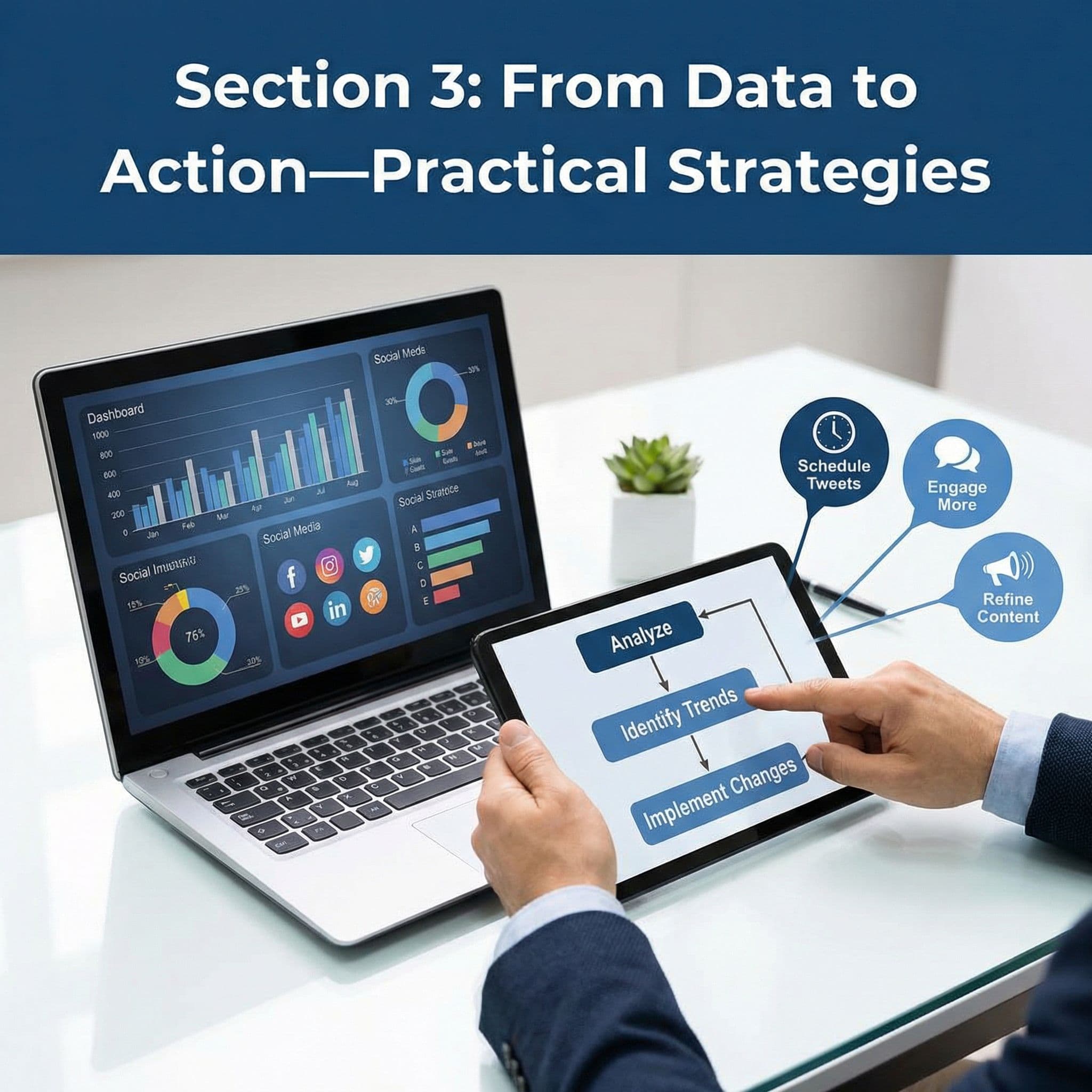
Section 3: From Data to Action—Practical Strategies You Can Implement Today
Okay, so you understand the metrics. You can navigate the dashboard. You know the difference between impressions and engagement. But here's the question that actually matters: what are you going to do with this information? Analytics is only valuable if it leads to action. That's what this section is all about—taking the data you're seeing and turning it into concrete changes that improve your results.
The strategy here is simple: identify your best-performing content, figure out why it worked, and do more of it. Simultaneously, identify your worst-performing content, understand what didn't work, and either improve it or stop doing it. This is iterative—you'll make changes, measure the results, and adjust again. Over time, you'll develop an intuition for what your audience wants and how to deliver it.
The beautiful thing about Twitter Analytics is that it gives you permission to experiment. You can try different content types, different posting times, different hashtags, and different topics. The data will tell you what works and what doesn't. You're not guessing anymore; you're making decisions based on evidence from your own audience. That's powerful.
3.1: Identifying Your Top-Performing Content and Finding Patterns
Go to the Tweets tab in your analytics. You'll see a list of all your recent tweets ranked by engagement (or you can sort by impressions, retweets, replies, etc.). Look at your top 5-10 tweets. What do they have in common? Are they all text-only tweets or do they include images or videos? Are they all about the same topic? Do they use a particular tone or style? Are they asking questions or making statements?
This is detective work, and it's one of the most valuable things you can do with your analytics. You're looking for patterns. Maybe you notice that your tweets about industry trends get way more engagement than your promotional tweets. Or maybe you notice that tweets with images always outperform text-only tweets. Or maybe your threads get more engagement than single tweets. These patterns are gold.
Once you've identified the patterns in your top content, write them down. Create a simple list: "My audience engages most with: [X], [Y], and [Z]." This becomes your content playbook. It's your north star for what to create going forward. If tweets about industry trends get 3x more engagement than promotional content, you should probably be posting more about industry trends and less about promotions.
But here's the important part: don't just copy your top tweets. Understand why they worked. Was it the topic? The timing? The tone? The call-to-action? Once you understand the "why," you can apply that principle to new content ideas. The goal isn't to repeat the same tweet over and over; it's to understand what resonates with your audience and create new content using those same principles.
3.2: Finding Your Optimal Posting Time Using Tweet Activity Data
Twitter's analytics show you not just what you posted, but when your audience is most active. Look at your top-performing tweets and note what time of day they were posted. Then compare that to your lower-performing tweets. Is there a pattern? Do your tweets posted at 9 AM get more engagement than tweets posted at 3 PM?
The key metric here is engagement rate, not raw engagement numbers. A tweet posted at 9 AM might get more total engagements simply because more people are on Twitter at that time. But if your engagement rate is higher at 3 PM, that means your audience is more engaged during that window, even if fewer people are seeing it. This distinction matters because it helps you post when your specific audience is most active and receptive.
Here's how to find your optimal posting time: look at your analytics for the past month. Identify the 10-15 tweets with the highest engagement rates. Note the time of day each was posted. You'll probably see a cluster around certain hours. That's your sweet spot. Post more frequently during those hours.
But here's the catch: your optimal posting time might change based on your audience's schedule. If most of your followers are in a different time zone than you, their peak activity times might be different. Twitter Analytics will show you this if you dig into the audience demographics section. Look at what countries and time zones your followers are in. If most of them are on the other side of the world, you might want to adjust your posting time to match their schedule, not yours.
A practical approach: start by posting 3-4 times per day at different times and monitor which time slots consistently get the best engagement rates. Once you've identified your peak hours, prioritize posting during those times. But don't become so rigid that you never post at other times—some of your best content might come at unexpected hours, and you don't want to miss the opportunity to share it.
3.3: Understanding Your Audience Demographics and Refining Your Content Strategy
Click on the Followers tab in your analytics. Here's where you'll find information about who's actually following you. Twitter shows you demographics like gender, location, and interests. This is incredibly valuable information because it tells you who you're reaching and whether that matches who you're trying to reach.
Let's say you're a B2B software company targeting marketing managers. You pull up your follower demographics and realize that only 20% of your followers are in marketing roles—the rest are in sales, customer service, and other departments. That's useful information. It tells you that either your content is appealing to a broader audience than you intended, or you're not effectively reaching your target demographic. Both are actionable insights.
The interests section is equally valuable. Twitter shows you what topics and categories your followers are interested in based on their activity. If you're a fitness brand and you notice that your followers are interested in health, wellness, and nutrition, that's great—your audience aligns with your content. But if you notice they're also heavily interested in personal finance or career development, that opens up new content opportunities. You could create tweets about financial wellness or career growth in fitness, bridging those interests.
Here's how to use this information to refine your strategy: identify any gaps between your target audience and your actual audience. If the gaps are small, great—keep doing what you're doing. If the gaps are large, you have a choice: either adjust your content to appeal more to the audience you actually have, or adjust your strategy to reach your target audience better. There's no right answer; it depends on your business goals.
Also pay attention to the geographic distribution of your followers. If most of your followers are in one country or region, consider tailoring some of your content to those locations. If you have followers spread across many time zones, consider posting at times that work across multiple zones, or even scheduling posts for different regions.
3.4: Setting SMART Goals and KPIs to Track Real Progress
Here's where most people get stuck: they look at their analytics, see a number, and have no idea if it's good or bad. Is 200 impressions on a tweet good? Is a 2% engagement rate acceptable? Without a goal, you have no baseline for success. That's why setting clear, measurable goals is essential.
Start with SMART goals: Specific, Measurable, Achievable, Relevant, and Time-bound. Instead of "I want to grow my Twitter presence," try "I want to increase my engagement rate from 2% to 3% over the next 90 days." Or "I want to gain 500 new followers in the next month." Or "I want my top tweet each week to get at least 100 engagements." These are specific enough that you can measure progress and know when you've succeeded.
Pick 2-3 KPIs (Key Performance Indicators) to focus on. Don't try to optimize for everything at once—that's overwhelming and usually counterproductive. Maybe you focus on engagement rate and follower growth. Or maybe you focus on impressions and click-through rate on links. Choose the metrics that directly connect to your business goals. If your goal is to drive traffic to your website, click-through rate matters more than follower count. If your goal is to build authority and influence, engagement rate and follower count matter more.
Set a baseline. Look at your current metrics and write them down. If your current engagement rate is 1.5%, and you set a goal to reach 2.5% in 90 days, you need to know where you're starting from to measure progress. Check your progress monthly. You don't need to obsess over daily changes—focus on monthly trends. Are you moving toward your goals? If not, adjust your strategy. If you're moving faster than expected, consider setting even more ambitious goals.
3.5: A/B Testing Content Types, Hashtags, and Schedules to Optimize Results
A/B testing is a fancy way of saying "try two different things and see which one works better." It's one of the most powerful techniques for improving your Twitter performance because it removes guessing. You're not relying on intuition or best practices from some blog; you're testing on your own audience and seeing what actually works for you.
Here's how to A/B test: pick one variable to test. Let's say you want to know if images increase engagement. For one week, post tweets with images. For the next week, post similar tweets without images. Compare the engagement rates. If image tweets get 3% engagement and text-only tweets get 1.5% engagement, you know images work for your audience. Do more of them.
You can A/B test almost anything: tweet length (short tweets vs. long threads), tone (professional vs. casual), content type (news vs. opinions vs. tips), hashtag usage (many hashtags vs. few), posting time, and more. The key is to test one variable at a time. If you change the time AND the topic AND add an image all at once, you won't know which change caused the improvement.
Document your tests. Create a simple spreadsheet where you note what you tested, what the results were, and what you learned. Over time, you'll build a database of knowledge about what works for your specific audience. Maybe you learn that your audience loves threads on Tuesdays, or that they engage most with opinion-based content, or that hashtags don't actually help. This knowledge is invaluable because it's based on your actual data, not generic advice.
One practical example: let's say you notice your engagement rate drops on Fridays. You hypothesize that people are less engaged with content before the weekend. You test posting more casual, fun content on Fridays to match the weekend mood. You measure engagement over a month and find that fun Friday tweets get 4% engagement versus 2% for your normal content. That's your insight—lean into fun, casual content on Fridays going forward.
3.6: Converting Data Insights Into a Repeatable Content Playbook
All of this analysis is only valuable if it leads to action. It's time to take everything you've learned from your analytics and turn it into a simple, repeatable content playbook. This is your personal guide for what to post, when to post it, and how to post it based on real data from your audience.
Here's what a basic content playbook looks like: first, list your top 3-5 content themes based on what performed best. For example: "industry insights, customer success stories, quick tips, behind-the-scenes content, and opinion pieces." Second, note your optimal posting times. For example: "9 AM, 12 PM, and 3 PM on weekdays; 10 AM on weekends." Third, note your best-performing content formats. For example: "tweets with images outperform text-only by 40%, threads get 2x engagement of single tweets, and questions get more replies than statements."
Fourth, create a simple content mix. This is where you decide how much of each content type to post. Maybe it looks like: 40% industry insights, 30% customer stories, 20% tips, and 10% personal/behind-the-scenes. This ensures you're posting a healthy mix of content that resonates with your audience while maintaining your authentic voice. Fifth, document any audience preferences you've discovered. For example: "Followers are 60% in tech industry, 70% located in US time zones, interested in productivity and professional development."
Now, create a simple one-page document with all this information. This becomes your reference guide. When you're sitting down to create content, you don't have to think about what to post or when to post it—you follow your playbook. This removes decision fatigue and ensures consistency, which is crucial for growing on Twitter.
The playbook isn't set in stone. Review it every 3 months. Look at your new analytics data. Has anything changed? Are different topics performing better now? Have your audience demographics shifted? Update your playbook accordingly. This iterative approach means you're always optimizing based on current data, not relying on strategies that worked three months ago.
3.7: Monitoring Competitor Performance and Industry Benchmarks
While Twitter Analytics shows you your own performance, you can also use it to understand the broader landscape. Look at competitors or other accounts in your industry that are similar to yours. What content are they posting? How much engagement are they getting? What's their posting frequency? This gives you context for your own metrics. If your average engagement rate is 2%, is that good? It depends. If competitors in your industry average 1%, you're doing great. If they average 5%, you have room to improve.
You can't see other accounts' Twitter Analytics directly, but you can see their public metrics. Look at their tweets and note how many likes, retweets, and replies they're getting. Note their follower count and how frequently they post. Over time, you'll get a sense of what's normal for accounts like yours and what performance benchmarks you should be aiming for.
Here's how to use this information: if a competitor is posting 5 times per day and getting high engagement, maybe you should increase your posting frequency. If they're focusing heavily on a particular topic and getting great results, maybe there's an opportunity for you in that space. If they're using a particular hashtag strategy that seems to work, try it yourself. This isn't about copying them; it's about understanding what works in your industry and applying those lessons to your own strategy.
You can also look at industry benchmarks through Twitter's own resources or through reports from social media analytics companies. These benchmarks show you average engagement rates, follower growth rates, and other metrics for accounts in your industry. Knowing that the average engagement rate for B2B tech companies is 1.5%, for example, helps you set realistic goals and understand whether your performance is above or below average.
One important note: don't get too caught up in comparison. Your goal isn't to beat every competitor; it's to understand what's possible and set goals accordingly. Some competitors might have massive budgets or years of head start. Focus on your own trajectory—are you improving? Are you moving toward your goals? That's what matters.
3.8: Creating a Monthly Review Process to Track Progress and Adjust Strategy
Analytics is only useful if you review it regularly. Set up a monthly review process where you look at your data, assess your progress toward your goals, and decide what to adjust. This doesn't need to be complicated—30 minutes once a month is enough to stay on top of things.
Here's a simple monthly review template: First, pull your analytics for the past month. Look at your main KPIs. Are you on track to hit your goals? Did anything surprise you? Second, identify your top 5 performing tweets. What did they have in common? Third, identify your bottom 5 performing tweets. What didn't work? Fourth, review your follower growth. Did you gain followers? Lose any? Fifth, review your audience demographics. Has anything changed? Have you attracted new audience segments?
Based on this review, make 2-3 specific adjustments to your strategy for the next month. Maybe you'll post more of your top-performing content type. Maybe you'll adjust your posting schedule. Maybe you'll test a new content theme. Write down what you're going to change and why. This creates accountability and gives you something to measure next month.
Track your results over time. After 3 months, you should start seeing trends. Your engagement rate might be up 0.5%. Your follower growth might be 20% faster. Your average tweet impressions might be higher. These small improvements compound. Six months in, you might look back and realize your performance has doubled. That's the power of consistent optimization based on data.
The final piece: celebrate your wins. If you hit a goal or see improvement in a metric you've been focused on, acknowledge it. This keeps you motivated and reminds you that your efforts are actually working. Twitter can feel like shouting into the void sometimes, but the data tells the real story. Trust it, follow it, and adjust based on it.
You now have everything you need to understand Twitter Analytics and use it to improve your performance. The key takeaway is this: analytics isn't complicated once you break it down into digestible pieces. Impressions tell you if people are seeing your content. Engagement metrics tell you if they care about it. Audience data tells you who you're reaching. And your historical data tells you what's working and what's not.
The real power comes when you stop just looking at the numbers and start acting on them. Identify your top-performing content and do more of it. Find your optimal posting times and stick to them. Understand your audience and create content they actually want. Set clear goals and track your progress. Test different approaches and double down on what works. Over time, this iterative process—measure, learn, adjust, repeat—builds momentum and drives real results.
Remember, you don't need to be a data expert to use Twitter Analytics effectively. You just need to develop a habit of checking your metrics regularly, asking yourself what the data is telling you, and making small, deliberate adjustments based on what you learn. As you continue to grow your Twitter presence and refine your strategy, having a reliable system for tracking and analyzing your performance becomes increasingly valuable. The insights you gather today will inform your content strategy for months to come, helping you build a more engaged audience and achieve your business goals on the platform.
If you want a low-lift way to apply these ideas, Aidelly helps you keep your social content consistent without extra busywork. Now that you know how to read your Twitter Analytics and turn those insights into a winning content strategy, the real challenge becomes executing it consistently—especially if you're managing multiple platforms or posting regularly. That's where Aidelly comes in: you can create and schedule your best-performing content types in advance, maintain a consistent brand voice across all your social channels, and spend less time on the mechanics so you can focus on what the data actually tells you. If you're ready to put these analytics insights into action without the daily stress of manual posting, get started at aidelly.ai.Compare Social Scheduling Tools
Evaluating software for your content workflow? Use our buyer guides and comparisons to compare scheduling, approvals, analytics, and AI workflow fit.
Share this article
Related Articles

How to Write the Perfect Tweet in 2026: 10 Essential Tips for Beginners
Struggling to craft tweets that actually get engagement? Whether you're new to X (formerly Twitter) or looking to boost your social media presence, this comprehensive guide breaks down everything you need to know about writing compelling tweets that stop the scroll and drive real results. From mastering character limits to leveraging trending topics, we'll walk you through 10 proven strategies that beginners, small business owners, and content creators are using right now to grow their following and build genuine connections with their audience.
Feb 14, 2026
Read more
Twitter Threads 101: A Beginner's Guide to Sharing Longer Stories in 2026
Twitter threads have become the go-to format for sharing in-depth stories, insights, and expertise on a platform built around brevity. Whether you're an entrepreneur pitching your vision, an educator sharing knowledge, or a thought leader building authority, threads let you break through the 280-character limit and tell compelling narratives. This comprehensive guide walks you through everything from crafting your first thread to analyzing performance metrics, complete with real-world examples and advanced techniques that'll help you stand out in 2026's crowded social media landscape.
Feb 15, 2026
Read more
Twitter Trends & Hashtags 2026: A Beginner's Guide to Joining Conversations Authentically
Ready to tap into Twitter trends without looking like you're desperately chasing viral moments? This comprehensive guide walks you through everything beginners need to know about discovering, understanding, and participating in trending conversations on Twitter/X in 2026. Learn how to identify trends that actually matter to your niche, craft authentic contributions that add real value, and build genuine engagement that translates into follower growth and business results. Discover the insider strategies that successful small accounts use to punch above their weight—without the spammy tactics that damage credibility.
Feb 14, 2026
Read moreReady to never miss a post again?
Tell Aidelly what to post. It drafts, schedules, and publishes across 7 platforms while you focus on your business.