Facebook Ads 101: How to Run Your First Ad Campaign in 2026
Facebook advertising can feel like stepping into a maze blindfolded. The platform offers seemingly infinite options, confusing terminology, and enough settings to make your head spin. But here's the truth: Facebook ads aren't mysterious. They're actually a learnable skill, and once you understand the fundamentals, you'll wonder why you waited so long to get started.
The real cost of not running Facebook ads isn't the money you spend on campaigns—it's the customers you never reach. In 2026, with billions of people actively using Facebook and Instagram, your competitors are likely already advertising there. The question isn't whether you should run ads; it's whether you can afford not to.
This guide isn't another generic tutorial that tells you to "click here, then click there." Instead, we're treating Facebook ads as a learnable skill that requires understanding, not just instructions. You'll learn what actually matters, why it matters, and more importantly, how to avoid the expensive mistakes that drain budgets and deliver zero results. Let's dive in.
Section 1: Building Your Foundation—Platform Structure and Account Setup
Before you spend a single dollar on ads, you need to understand the ecosystem you're operating in. Facebook's advertising platform has evolved significantly over the years, and in 2026, it's more sophisticated than ever. But that sophistication doesn't have to intimidate you—it just means there are more tools at your disposal to reach exactly the right people.
Think of Facebook's advertising structure like a building. At the ground level, you have your Business Account and Facebook Page—your foundation. In the middle floors, you have Ads Manager and Business Suite—the control centers where campaigns are built and managed. And at the top, you have campaign objectives—the specific goals driving your entire advertising strategy. Each layer matters, and skipping any of them will cause problems down the road.
Many beginners make the mistake of jumping straight into creating ads without properly setting up their infrastructure. This is like building a house without a foundation. Sure, you might get it done faster, but everything will collapse when pressure is applied. We're going to do this the right way, starting from the ground up.
1.1: Understanding Facebook's Ad Platform Structure
Facebook's advertising infrastructure consists of three core components that work together seamlessly: Ads Manager, Business Suite, and Campaign Objectives.
Ads Manager is where you'll spend most of your time. It's the command center for creating, managing, and analyzing your ad campaigns. When you log into Ads Manager, you can see all your active campaigns, their performance metrics, and make real-time adjustments. Think of it as your advertising dashboard—everything you need is accessible from one place. You can create new campaigns, duplicate existing ones, pause underperforming ads, and adjust budgets without waiting for anything to process.
Business Suite is a newer, more unified platform that combines Ads Manager with other business tools like Pages Manager and Instagram Business. If you manage multiple Facebook pages or Instagram accounts, Business Suite becomes incredibly valuable because you can manage everything from one central location. For beginners managing a single page, Ads Manager might feel more straightforward, but understanding Business Suite's existence is important because Facebook is pushing all businesses toward it.
Campaign Objectives are the specific goals you choose when creating a campaign. Facebook offers 11 different objectives grouped into three categories: Awareness (building brand recognition), Consideration (driving engagement and traffic), and Conversion (generating sales or leads). Your chosen objective tells Facebook's algorithm what you're trying to accomplish, and it optimizes your ad delivery accordingly. Choosing the wrong objective is like telling a GPS you want to go to New York when you actually want to reach Boston—you might eventually get somewhere, but it won't be where you intended.
1.2: Setting Up Your Facebook Business Account
Creating a Facebook Business Account is surprisingly straightforward, but many entrepreneurs skip important steps that cause problems later. Here's exactly how to do it correctly.
First, go to business.facebook.com and click "Create Account." Facebook will ask for your business name, your name, your business email, and your business type. Don't rush through this—your business email should be something professional you actually check regularly. Some people use personal Gmail accounts, which works, but having a business email (like you@yourbusiness.com) looks more professional and keeps advertising separate from personal Facebook activity.
After creating your account, your next step is connecting your Facebook Page. If you don't have a page yet, create one (this is separate from your personal profile). Your Facebook Page is the public face of your business where customers interact with you. Once your page exists, add it to your Business Account. Go to Accounts > Pages, click Add, and select your page from the list. This connection is essential because your ads will run from your page, and people will see your page name and profile picture when they encounter your ads.
Here's the critical part many beginners miss: set up proper admin access. If you're working with a team or contractor, don't just give them your password. Instead, go to Settings > Users and Roles, then add them as an admin, editor, or analyst depending on what they need to do. This protects your account security and gives you control over who can do what. You can revoke access immediately if needed, and you have an audit trail of who made changes.
1.3: Navigating Campaign Objectives and What They Mean
Facebook's campaign objectives are grouped into three categories, and understanding the difference between them is crucial for campaign success.
Awareness Objectives are designed to get your brand in front of as many people as possible. These include "Brand Awareness" and "Reach." Use these when you're new to advertising and want people to know you exist. A local coffee shop opening for the first time might use Reach to make sure everyone in the neighborhood knows about the grand opening. Budget expectations: awareness campaigns typically cost less per result because Facebook prioritizes showing ads to as many people as possible rather than optimizing for a specific action.
Consideration Objectives focus on getting people interested in what you offer. These include "Traffic," "Engagement," "App Installs," and "Lead Generation." Use Traffic when you want people visiting your website, Engagement when you want comments/shares/reactions on your posts, and Lead Generation when you want people filling out forms. A SaaS company might use Lead Generation to collect email addresses for a free trial. Budget expectations: consideration campaigns cost more than awareness but less than conversion campaigns because you're asking for a specific action, but not a monetary transaction.
Conversion Objectives are for driving actual sales or other high-value actions. These include "Conversions" and "Catalog Sales." Use Conversions when you want people buying products, signing up for services, or completing other valuable actions on your website. An e-commerce store selling clothing would use Conversions to drive purchases. Budget expectations: conversion campaigns typically cost more per result because you're asking Facebook to find people most likely to spend money, but the ROI can be exceptional if set up correctly.
Section 2: Targeting and Creative—Reaching the Right People with the Right Message
Having the right platform infrastructure means nothing if you're advertising to the wrong people or with the wrong message. This section covers the two pillars of successful Facebook advertising: laser-focused targeting and compelling creative that actually resonates with your audience.
Here's a statistic that should scare you: the average Facebook user sees hundreds of ads per day. Your ad is competing against all of them. The only way to win that competition is to reach people who actually care about what you're offering and show them a message so relevant they can't ignore it.
Many beginners make the critical mistake of targeting too broadly. They think, "I want to reach everyone who might buy my product," so they target everyone aged 18-65 in their country. This is expensive and ineffective. Facebook's targeting tools let you narrow your audience to a laser-focused group of people most likely to convert. Simultaneously, your creative—the images, videos, copy, and headlines—needs to speak directly to that specific group.
Think of targeting and creative as a pair. Great targeting with mediocre creative wastes money. Exceptional creative shown to the wrong people wastes money. But great targeting combined with compelling creative? That's where magic happens, and that's what we're building toward.
2.1: Building Effective Audience Targeting
Facebook's targeting options can feel overwhelming, but they break down into four main categories: Demographics, Interests, Behaviors, and Custom Audiences. Master these, and you'll target more effectively than 90% of advertisers.
Demographics are the basics: age, gender, location, language, education, job title, and income. Let's say you're selling premium fitness coaching. You might target women aged 30-45, college-educated, with household income above $75,000, located within 20 miles of your gym. This immediately eliminates people who can't afford your service or don't fit your ideal client profile. You're not being exclusive to be mean—you're being efficient with your budget. Every dollar spent reaching someone who can't or won't buy is a dollar wasted.
Interests are where things get interesting (pun intended). Facebook knows what people like based on pages they follow, content they engage with, and purchases they make. If you're selling organic skincare products, you can target people interested in "Natural Beauty," "Organic Products," and "Wellness." But here's the advanced move: exclude interests that signal someone won't buy. If you're selling premium products, exclude people interested in "Discount Shopping" or "Budget Travel" because they're price-sensitive. This sounds counterintuitive, but it works because you're eliminating people unlikely to convert and freeing up budget for people more likely to buy.
Behaviors go deeper than interests. Facebook tracks purchase behavior, device usage, and other actions. You can target people who made a purchase online in the last 30 days (showing they're active shoppers), people using iPhones (if your product is app-based), or people who recently moved (relevant for real estate). A wedding planner could target people who recently got engaged using Facebook's "Recently Engaged" behavior targeting.
Custom Audiences are your secret weapon. These are audiences you create from your own data—email lists, website visitors, app users, or people who engaged with your content. If you have 5,000 email subscribers, you can upload that list to Facebook and create an audience from it. Then you can advertise to those people directly. Even better, you can create a "Lookalike Audience" based on that list, and Facebook will find people similar to your best customers. A e-commerce store with a customer list of 10,000 people can create a lookalike audience of 1 million people in their country who share characteristics with their best customers. Lookalike audiences typically convert at 2-3x the rate of cold audiences because they're based on people who already bought from you.
Practical Example: Let's say you're a personal trainer offering online coaching. Instead of targeting "everyone interested in fitness," you'd target women aged 28-42, interested in "health and fitness," with behaviors showing they follow wellness content, excluding people interested in budget gyms. Then you'd create a custom audience from people who visited your website, and a lookalike audience from your current clients. Your budget now reaches highly qualified prospects instead of casual gym-goers who have no intention of buying.
2.2: Creating Compelling Ad Creative
You could have the perfect audience, but if your creative is boring, generic, or unclear, they'll scroll past without a second thought. Ad creative includes your image or video, headline, primary text, and call-to-action button. Each element needs to work together to stop the scroll and drive action.
Images and Videos: Your visual element is the first thing people notice. For images, avoid stock photos that scream "advertisement." Use real photos of real customers using your product or service. If you're a software company, show someone actually using your software, not a generic photo of people in a boardroom. Videos perform exceptionally well—Facebook's algorithm prioritizes video content, and people are more likely to watch a video than look at a static image. Your video doesn't need to be professionally produced. A 15-30 second video of you explaining your product or showing results often outperforms expensive production. Keep videos vertical (9:16 aspect ratio) because most people watch on mobile.
Headlines: Your headline has one job: make someone want to read the rest of your ad. Avoid generic headlines like "Buy Now" or "Learn More." Instead, use headlines that create curiosity or promise a specific benefit. Compare "Coffee Subscription" (boring) versus "Get Fresh-Roasted Coffee Delivered Every Tuesday" (specific and benefit-driven). Test headlines that ask questions: "Want to Lose 10 Pounds Without Dieting?" Questions engage people's brains and make them want to know the answer.
Primary Text: This is your main sales message. Keep it short—2-3 sentences maximum. People scrolling through Facebook won't read paragraphs. Your text should address a specific problem and hint at your solution. Example: "Struggling to find time for fitness? Our 15-minute daily workouts fit into your busiest schedule. Join 50,000+ people who transformed their bodies." Notice how this addresses a problem (time constraint), offers a solution (15-minute workouts), and includes social proof (50,000+ people).
Call-to-Action (CTA): This is critical and often where beginners mess up. Your CTA button should be specific and clear. "Learn More" is weak. "Get Free Trial" or "Shop Now" or "Schedule Consultation" is strong. People need to know exactly what happens when they click. If you're asking for an email signup, the button should say "Sign Up" not "Submit." Match your CTA to your campaign objective. A lead generation campaign should have a CTA like "Get Free Quote," while a conversion campaign should have "Buy Now" or "Add to Cart."
Real Ad Copy Templates:
- E-commerce: "Headline: Limited Time: 30% Off [Product Name] | Text: Perfect for [specific use case]. Handpicked by [your credibility]. Ships free. | CTA: Shop Now"
- Service Provider: "Headline: Get Your [Service] Done Right | Text: [X years] experience. [Specific result]. Free consultation. | CTA: Schedule Consultation"
- SaaS/Software: "Headline: Manage Your Entire [Function] in One Place | Text: Used by [industry]. Save [X hours/dollars] monthly. | CTA: Start Free Trial"
- Content Creator: "Headline: Learn [Specific Skill] in [Timeframe] | Text: Step-by-step training from [your credential]. [Specific result]. | CTA: Enroll Now"
2.3: Setting Budgets and Bidding Strategies
Budget and bidding strategy determine how much you spend and how aggressively Facebook pursues your goal. Get this wrong, and you'll blow through money without results. Get it right, and you'll achieve exceptional ROI.
Daily vs. Lifetime Budget: Daily budget means Facebook spends up to that amount every day. Lifetime budget means Facebook spreads that amount across your entire campaign duration. For most beginners, daily budget is simpler. You set a daily budget of $20, and Facebook spends approximately $20 per day. Lifetime budget is useful for limited-time campaigns (like a 7-day sale), where you want to spend exactly $140 across those 7 days.
Starting Budget: How much should you spend? This depends on your goal and industry, but here are realistic numbers for 2026:
- Awareness campaigns: $5-15 per day to test and learn
- Lead generation: $10-30 per day to generate qualified leads
- E-commerce: $20-50+ per day to drive sales (higher budget needed for conversions to optimize)
- Service providers: $15-40 per day depending on average customer value
Start with a modest budget ($10-20 per day) to test your targeting and creative. Once you identify what works, increase the budget gradually. Doubling your budget won't double your results—Facebook's algorithm works best with consistent, sustainable spending.
Bidding Strategies: Facebook offers different bidding options. "Lowest Cost" tells Facebook to get you as many results as possible for your budget—it's the default and usually best for beginners. "Target Cost" lets you set a specific cost per result you're willing to pay (e.g., "I'll pay up to $5 per lead"). "Cost Cap" sets a maximum cost per result. For beginners, stick with Lowest Cost. Once you have data on what results cost, you can experiment with Target Cost.
Real Budget Example: You're launching an online course. Your goal is 50 email signups per month. You set a daily budget of $20 ($600/month). Based on your targeting and landing page conversion rate, you expect a $12 cost per signup. At $20/day, you'd generate roughly 50 signups monthly at approximately $12 each. If you find signups are costing $20 each, you can either improve your landing page (reduce cost per signup) or increase your budget if the course price justifies it.
Section 3: Optimization and Measurement—Ensuring Every Dollar Works Hard
You've built your infrastructure, targeted the right people, and created compelling ads. Now comes the part that separates successful advertisers from those who hemorrhage money: implementing tracking, testing, and optimization.
Facebook's algorithm is powerful, but it needs data to work with. Without proper tracking, Facebook doesn't know which ads are driving sales, which are driving leads, and which are complete duds. It's like flying a plane without instruments—you might get lucky, but you're probably going to crash.
This section covers three critical practices: implementing Facebook Pixel for conversion tracking, running A/B tests to identify top performers, and monitoring metrics that actually matter. These three practices will transform your advertising from a guessing game into a data-driven science.
Here's what separates 2026 Facebook advertising from years past: the tools have become incredibly sophisticated. Facebook's machine learning can now optimize campaigns better than humans can manually adjust them. But that optimization requires data. The more quality data you feed Facebook's algorithm, the better it performs. Your job is to provide that data through proper pixel implementation and conversion tracking.
3.1: Implementing Facebook Pixel for Conversion Tracking
Facebook Pixel is a small piece of code you place on your website that tracks what happens when people visit. Without it, you're flying blind. With it, you have complete visibility into whether your ads are actually driving the results you want.
Why Pixel Matters: When someone clicks your ad and visits your website, Facebook Pixel tracks whether they make a purchase, fill out a form, view a product, or just browse and leave. This data tells you which ads work. You could have an ad with great engagement metrics (lots of clicks), but if those clicks aren't turning into customers, it's not actually helping your business. Pixel shows you the difference between vanity metrics and actual business results.
Setting Up Pixel: Go to your Business Account, navigate to Data Sources > Pixels, and create a new pixel. Facebook gives you a pixel ID and code. If your website is on WordPress, Shopify, or another platform with built-in integrations, you can install Pixel through the app store without touching code. If you're using custom code, you'll need a developer or use Google Tag Manager (a free tool that makes code installation easier). Install the base Pixel code on every page of your website.
Creating Conversion Events: After installing base Pixel, create specific conversion events for actions you care about. If you're e-commerce, create events for "Add to Cart," "Purchase," and "Initiate Checkout." If you're a service provider, create "Lead" (form submission) and "Schedule" (booking made). If you're a content creator, create "Sign Up" for email list additions. Each event tells Facebook exactly what to optimize for.
Standard Events vs. Custom Events: Facebook provides standard events (Purchase, Lead, Complete Registration) that work automatically with most platforms. Use these whenever possible—they're easier to set up and Facebook recognizes them across devices. Custom events are for tracking actions that don't fit standard categories. Use standard events first, custom events as a fallback.
Building Retargeting Audiences: Once Pixel is tracking conversions, you can build audiences of people who visited your site but didn't convert. You can then show them ads encouraging them to complete their purchase. A person who added items to cart but didn't buy can be retargeted with a reminder ad. Someone who visited your pricing page but didn't sign up can be retargeted with a free trial offer. Retargeting audiences typically convert at 5-10x the rate of cold audiences because these people already showed interest.
Real Implementation Example: A clothing e-commerce store installs Pixel with Purchase and Add to Cart events. They run ads targeting cold audiences with a $30/day budget. After two weeks, they see 50 clicks but only 2 purchases ($30 cost per sale—not great). They check Pixel data and see 15 people added items to cart but didn't purchase. They create a retargeting audience of these 15 people and spend $5/day showing them a "Finish Your Order" ad with a 10% discount code. Within a week, 8 of the 15 complete their purchase at $0.63 cost per sale. Now they understand their funnel and can optimize accordingly.
3.2: A/B Testing Ad Variations to Identify Top Performers
A/B testing (also called split testing) is how you identify what works and what doesn't. Instead of guessing, you test different variables and let data show you the winner. This is how successful advertisers consistently improve their results.
What to Test: You can test virtually any element: images, videos, headlines, primary text, audiences, placements, or CTAs. Start by testing one variable at a time. If you test image, headline, and audience simultaneously and one version wins, you won't know which element caused the improvement. Test image A vs. image B while keeping everything else identical. Once you have a winner, test that winner against a new variable.
Setting Up Tests: In Ads Manager, when creating a campaign, you can select "Run A/B Test." Facebook will ask what you want to test (creative, audience, placement, or budget). Select your variable, create two versions, and set a budget split (usually 50/50). Facebook runs both versions simultaneously for a set duration (typically 14 days minimum) and tells you which performs better.
Sample Size Matters: This is critical and where many beginners mess up. Testing with a $2/day budget across a 7-day test means you're only spending $14 total. That's not enough data to make a confident decision. You need enough impressions and conversions to trust the results. For conversion campaigns, aim for at least 50 conversions per variation before declaring a winner. For engagement campaigns, aim for at least 500 impressions per variation. This might mean running tests for 2-4 weeks or increasing your budget temporarily just for testing.
Practical Testing Framework: Here's a simple process that works:
- Week 1-2: Run A/B test on creative (image/video). Keep audience, budget, and copy identical.
- Week 3-4: Take winning creative from week 1-2. Run A/B test on primary text.
- Week 5-6: Take winning creative and copy. Run A/B test on headline.
- Week 7-8: Take winning elements. Run A/B test on audience (geographic location, age range, interests).
After 8 weeks of testing, you've identified your winning creative, copy, headline, and audience. This combination becomes your "control"—your baseline ad that you measure everything else against. Now you can increase budget knowing you're scaling something that works.
Real Testing Example: A SaaS company running lead generation ads tests two headlines: "A) Manage Your Entire Team in One Place" vs. "B) Stop Wasting Time on Spreadsheets." Both ads run for 14 days with $20/day budgets. Headline A generates 42 leads at $9.52 per lead. Headline B generates 58 leads at $6.90 per lead. Headline B is the clear winner—not only did it generate more leads, but it did so more cost-effectively. They pause Headline A and scale Headline B to $40/day. This is data-driven optimization.
3.3: Monitoring Key Metrics and Avoiding Common Mistakes
Key Metrics You Actually Need to Track:
Click-Through Rate (CTR): The percentage of people who see your ad and click it. A 1-3% CTR is typical; above 3% is excellent. Low CTR (below 0.5%) usually means your creative isn't compelling or your targeting is off. High CTR is good, but only if those clicks convert.
Cost Per Click (CPC): How much you pay for each click. This varies wildly by industry and objective. Lead generation might be $0.50-$3 per click. E-commerce might be $0.30-$1.50. If your CPC is significantly higher than industry average, your targeting or creative needs improvement.
Return on Ad Spend (ROAS): For e-commerce and conversion-focused campaigns, this is critical. ROAS = Revenue Generated ÷ Amount Spent. A 3:1 ROAS means for every $1 you spend, you generate $3 in revenue. For this to work, you need Pixel tracking conversions and revenue values correctly. Most e-commerce businesses target 3-5:1 ROAS. Below 2:1 and you're losing money after accounting for operational costs.
Conversion Rate: The percentage of people who click your ad and complete your desired action (purchase, signup, booking). A 2-5% conversion rate is typical depending on industry and offer. If your conversion rate is below 1%, your landing page or offer needs work.
Frequency: How many times the average person sees your ad. Above 2-3 frequency, people start experiencing ad fatigue and your relevance score drops. If frequency is high but CTR is dropping, it's time to refresh your creative.
Common Mistakes That Cost Money:
Mistake #1: Poor Audience Targeting Many beginners target too broadly. "Everyone aged 18-65 interested in fitness" is too vague. You'll reach people who can't afford your service, aren't actually interested, or are already buying from competitors. Instead, narrow ruthlessly. Target specific demographics, exclude people who won't convert, and use custom audiences of your existing customers.
Mistake #2: Unclear or Weak CTAs If people don't know what happens when they click, they won't click. "Learn More" is weak and generic. "Get Your Free Fitness Assessment" is specific and compelling. Match your CTA to your actual offer. If you're offering a free trial, don't make the button say "Buy Now."
Mistake #3: Inadequate Testing Running one ad for a week, seeing mediocre results, and giving up is a common beginner mistake. You need proper sample sizes and sufficient duration. Test for at least 2 weeks with budgets large enough to generate meaningful data. One poorly-tested campaign that you scale might cost you thousands before you realize it doesn't work.
Mistake #4: Not Tracking Conversions**Properly Installing Pixel but not creating conversion events means Facebook doesn't know what you're optimizing for. You might have great engagement metrics but no actual sales. Set up Pixel completely—install base code, create conversion events, verify events are firing by checking the Pixel diagnostics.
Mistake #5: Scaling Too Quickly You run a $10/day campaign for a week, see positive results, and immediately increase to $100/day. This often backfires. When you significantly increase budget, Facebook's algorithm needs time to re-optimize. Increase budget gradually—10-20% increases every few days. This lets the algorithm adjust while maintaining performance.
Mistake #6: Ignoring Frequency**and Relevance Score Relevance Score (1-10 rating) shows how relevant people find your ad. As frequency increases, relevance score drops, and cost increases. If you're running the same ad for 8+ weeks, refresh your creative. If frequency is above 3 and relevance score is below 5, pause that ad and create new versions.
Mistake #7: Not Accounting for iOS Changes Apple's privacy changes mean less tracking data on iPhone users. Your conversion data might be incomplete. Account for this by using Pixel's conversion API (more advanced tracking) and by understanding that your actual results might be better than what Pixel reports. Don't make decisions based solely on incomplete data.
You now have a complete roadmap for launching successful Facebook ads. From setting up your Business Account and choosing the right campaign objectives, to building laser-focused audiences and creating compelling creative, to implementing Pixel tracking and running A/B tests—you understand the full lifecycle of a Facebook ad campaign.
The key to success isn't having perfect ads on day one. It's having a systematic approach to testing, learning, and optimizing. Start with a modest budget, track everything with Pixel, test one variable at a time, and let data guide your decisions. The advertisers who succeed aren't the ones with the biggest budgets—they're the ones who understand their metrics, avoid costly mistakes, and continuously optimize based on real results.
As your campaigns grow and you're managing multiple ads across different objectives, the complexity of tracking, analyzing, and optimizing can become overwhelming. This is where social media management and advertising tools become invaluable—they help you monitor performance across campaigns, identify optimization opportunities, and manage your advertising efficiently. Whether you're using Facebook's native tools or supplementing with third-party analytics platforms, the foundation you've built here—understanding the platform, targeting effectively, testing rigorously, and tracking meticulously—is what separates successful advertisers from those who waste money. Now it's time to launch your first campaign and start learning from real data.
If you want a low-lift way to apply these ideas, Aidelly helps you keep your social content consistent without extra busywork. Now that you've got your Facebook ads dialed in and converting, the real magic happens when you combine paid campaigns with a consistent organic strategy—because even the best ad can't do much if your page itself isn't engaging your audience or giving them reasons to stick around. That's where platforms like Aidelly come in handy: while you're running those optimized ad campaigns, Aidelly helps you grow your audience with consistent, engaging content and build meaningful connections with your followers so that your ad spend goes even further. If you're ready to take your Facebook ads strategy to the next level and pair it with a social media approach that actually sticks, get started at aidelly.ai.Compare Social Scheduling Tools
Evaluating software for your content workflow? Use our buyer guides and comparisons to compare scheduling, approvals, analytics, and AI workflow fit.
Share this article
Related Articles
How to Create a Facebook Business Page in 2026: Complete Step-by-Step Guide for Beginners
Ready to establish your business on Facebook in 2026? This comprehensive guide walks you through everything from pre-setup requirements to post-launch optimization. Whether you're a solopreneur, local service provider, or e-commerce seller, you'll learn how to set up your Facebook Business Page correctly the first time, avoid common mistakes, and start building your online presence with confidence. Includes a downloadable checklist and actionable next steps.
Feb 8, 2026
Read more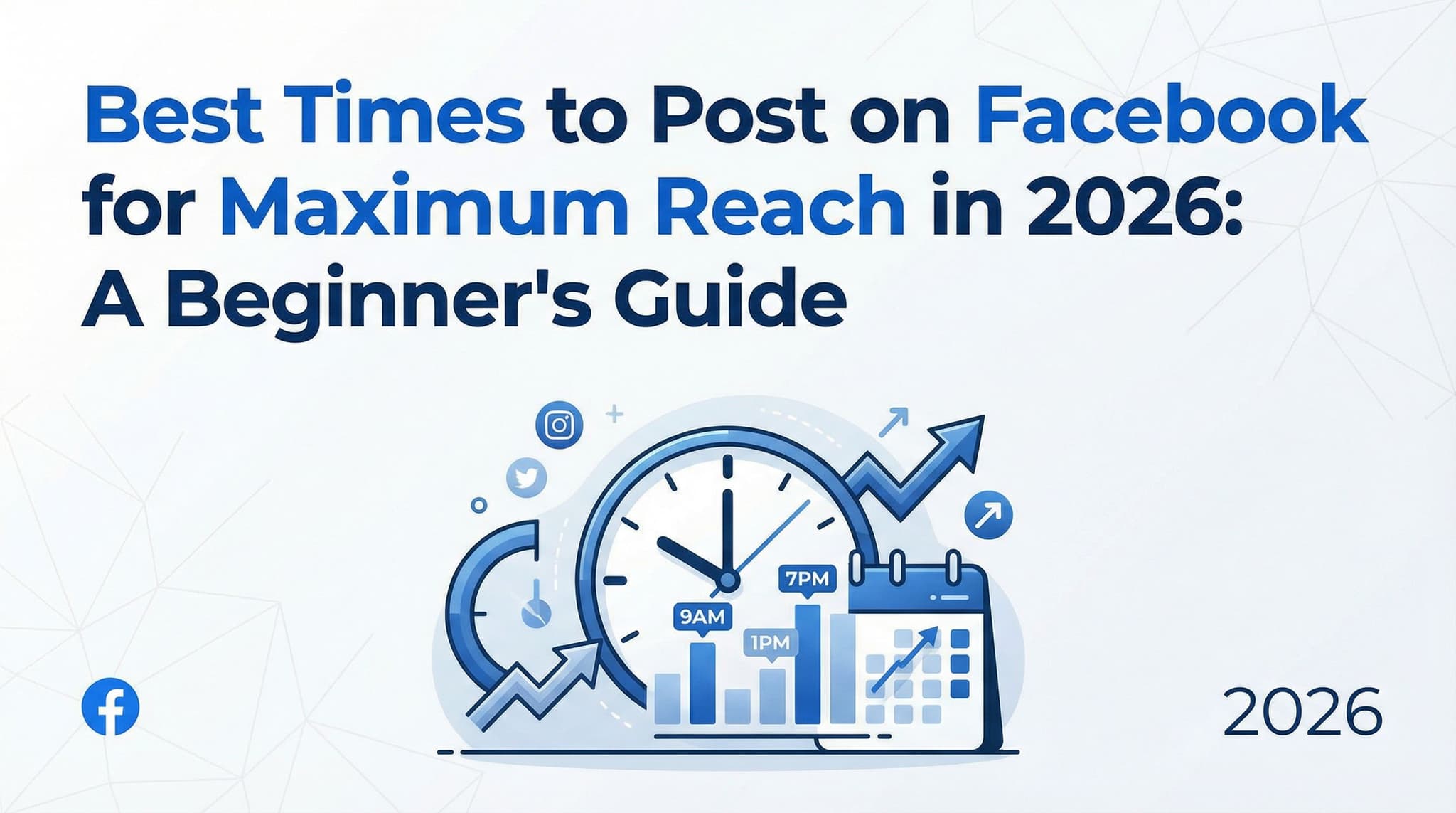
Best Times to Post on Facebook for Maximum Reach in 2026: A Beginner's Guide
Tired of posting on Facebook and watching your content disappear into the void? You're not alone. Many small business owners and content creators struggle to figure out when their audience is actually paying attention. While there's no magic posting time that works for everyone, this beginner's guide reveals a data-driven framework for discovering YOUR optimal posting schedule using free Facebook tools. Learn how to analyze your specific audience, test different times, and create a consistent posting strategy that actually drives engagement—without needing expensive software or paid advertising.
Feb 9, 2026
Read more
15 Engaging Facebook Post Ideas for Small Businesses in 2026 (Beginner-Friendly Guide)
Running a small business in 2026 means your Facebook page is one of your most valuable marketing assets—but only if you're posting content that actually resonates. If you've been struggling to figure out what to share or why your posts aren't getting engagement, you're not alone. Most small business owners feel lost when it comes to social media strategy, thinking they need to hire expensive agencies or become creative geniuses to succeed. The truth? You just need proven frameworks you can implement in minutes. This guide walks you through 15 specific Facebook post ideas that drive real results—from building customer trust to generating leads—with templates you can adapt for your business today.
Feb 9, 2026
Read moreReady to never miss a post again?
Tell Aidelly what to post. It drafts, schedules, and publishes across 7 platforms while you focus on your business.